A compliance platform holds some of the most sensitive data a company has: read access to its cloud accounts, its identity provider and its HR system; a complete inventory of its weaknesses; its policies, audit evidence and vendor contracts. For many organizations a well-run SaaS is the right home for that. For some, it is not — and InsightAssure runs in their environment with the same images VerticalServe uses for its SaaS.
Who self-hosts, and why
- Data residency. The evidence and inventory must stay in a specific country or cloud region, or in a sovereign cloud.
- Regulated industries. Banks, insurers, healthcare and public-sector bodies often require that tools with read access to production run inside their own boundary.
- Credential policy. Some security teams will not hand read credentials for their cloud and identity provider to a third party, even read-only ones.
- Air-gapped or restricted networks. Integrations that must reach systems inside a private network — a self-hosted Jira or GitLab, an internal HR system.
- AI policy. Questionnaire answering can run with a model inside the boundary, or with no model at all.
SaaS or self-hosted
| VerticalServe SaaS | Self-hosted | |
|---|---|---|
| Who operates it | VerticalServe | your team (or VerticalServe on your infrastructure) |
| Organizations | many — a workspace per client; Portfolio across them | one (ASSURE_EDITION=selfhosted hides Portfolio) |
| Data location | VerticalServe's AWS account | your machine or cloud account |
| Evidence storage | S3 | a local volume, or your S3 / Azure Blob / GCS / OCI bucket |
| Credentials for integrations | sealed in AWS Secrets Manager | sealed with your key, or in your secret store |
| Model | Bedrock Claude | none (rule mode), or your Bedrock / Azure OpenAI / Vertex / OCI / OpenAI-compatible endpoint |
| Upgrades | continuous | when you pull a new image tag |
| Product | identical | identical |
Architecture
- ui — nginx serving the console (and the public Trust Center page), proxying
/apito the API. - api — the FastAPI service. On every start it waits for Postgres, runs the migrations under an advisory lock (so two replicas never race), ensures the product roles, and seeds the first administrator if one does not exist (it never resets a password). It also runs the background loop: integration syncs on each integration's interval, monitors and control health hourly, reminders daily.
- Postgres 16 — the application connects as an ordinary role (
assure_app), because row-level security does not bind superusers. The installer creates that role on first start. - /data — evidence files, the token-signing key and the credential-sealing key. Evidence can live in your bucket instead (
ASSURE_EVIDENCE_STORE=s3://…,az://…,gs://…,oci://…).
Installing
On a host with Docker:
cd deploy/selfhost
./install.sh
# Organization name: Acme Health
# Administrator email: security@acmehealth.example
# Wrote .env — administrator security@acmehealth.example, password …
install.sh writes .env with generated Postgres and application passwords, your organization and administrator, and starts the stack with docker compose up -d. The first start takes about a minute (migrations); then the console is on port 8080. For anything beyond a trial, put a TLS-terminating proxy or your load balancer in front of it and set the public addresses:
# .env
ASSURE_PUBLIC_URL=https://assure.acmehealth.example
ASSURE_CONSOLE_URL=https://assure.acmehealth.example
ASSURE_EVIDENCE_STORE=s3://acme-compliance-evidence/assure    # optional: evidence in your bucket
The relevant part of the compose file shows the security posture at a glance:
api:
  image: vserveinc/insightassure-api:1.0.0
  environment:
    ASSURE_EDITION: selfhosted
    INSIGHT_DATABASE_URL: postgresql://assure_app@postgres:5432/assure   # an ordinary role: RLS binds it
    INSIGHT_DATABASE_PASSWORD: ${ASSURE_DB_PASSWORD}
    ASSURE_AI: ${ASSURE_AI:-false}                                       # rule mode until you choose a model
    ASSURE_ALLOW_PRIVATE_INTEGRATIONS: ${ASSURE_ALLOW_PRIVATE_INTEGRATIONS:-false}
  volumes: [data:/data]
Credentials, sealed
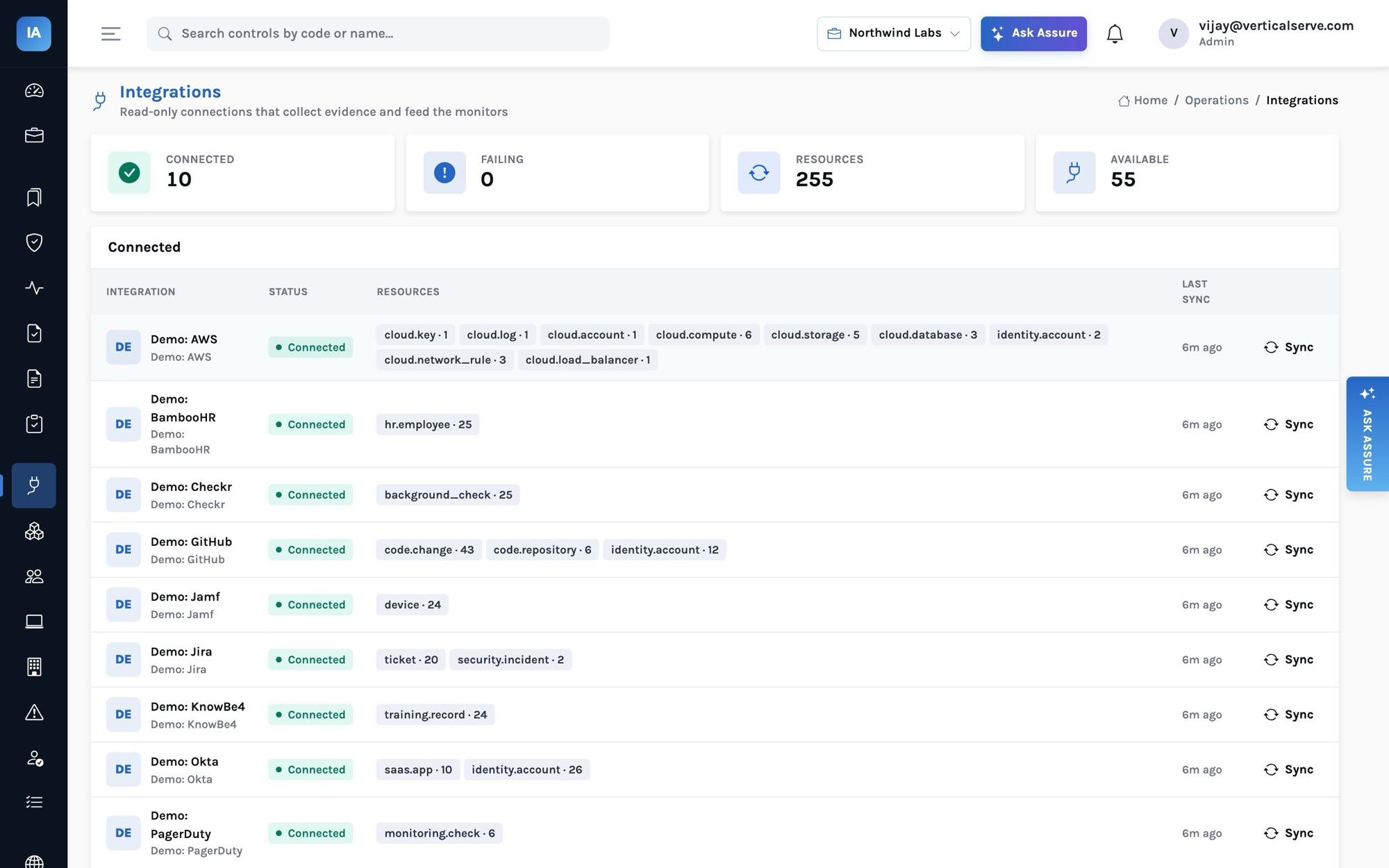
Integration credentials are never stored in clear and never returned by the API. They are sealed through the Insight platform's sealing layer:
- with a secret store configured (AWS Secrets Manager, Azure Key Vault, GCP Secret Manager, OCI Vault or HashiCorp Vault), each connection's credentials become one secret in that store and the database keeps only a reference;
- otherwise they are encrypted with AES-256-GCM under a key kept in
/data, with the row's identity bound in as associated data — a token copied onto another row will not open.
A field can also be given as ref:<secret ref> (for example ref:aws-sm://prod/okta#token) to point at a secret you already manage. Key rotation is supported: set the new key, list the old ones as previous keys: existing rows still open, and a reseal rewrites them under the new key.
Outbound network rules
Every integration call goes through an outbound guard: only http(s), and by default no private, loopback, link-local or cloud-metadata addresses — so a misconfigured connection cannot be used to probe your internal network. If you need to reach an internal Jira or GitLab, set ASSURE_ALLOW_PRIVATE_INTEGRATIONS=true deliberately.
AI inside your boundary — or none
With ASSURE_AI=false (the self-hosted default), every AI feature answers by rule: questionnaires from your answer library, policies and controls; system descriptions assembled from what the program knows; Ask Assure from the program's facts. To use a model, point the API at one you control:
ASSURE_AI=true
INSIGHT_LLM_PROVIDER=openai                       # any OpenAI-compatible endpoint, e.g. vLLM or Ollama
INSIGHT_LLM_BASE_URL=http://llm.internal:8000/v1
INSIGHT_CHAT_MODEL=your-model
Bedrock, Azure OpenAI, Vertex and OCI work the same way. The model only ever sees the question and the sources retrieved from your own program.
Rolling out the device agent
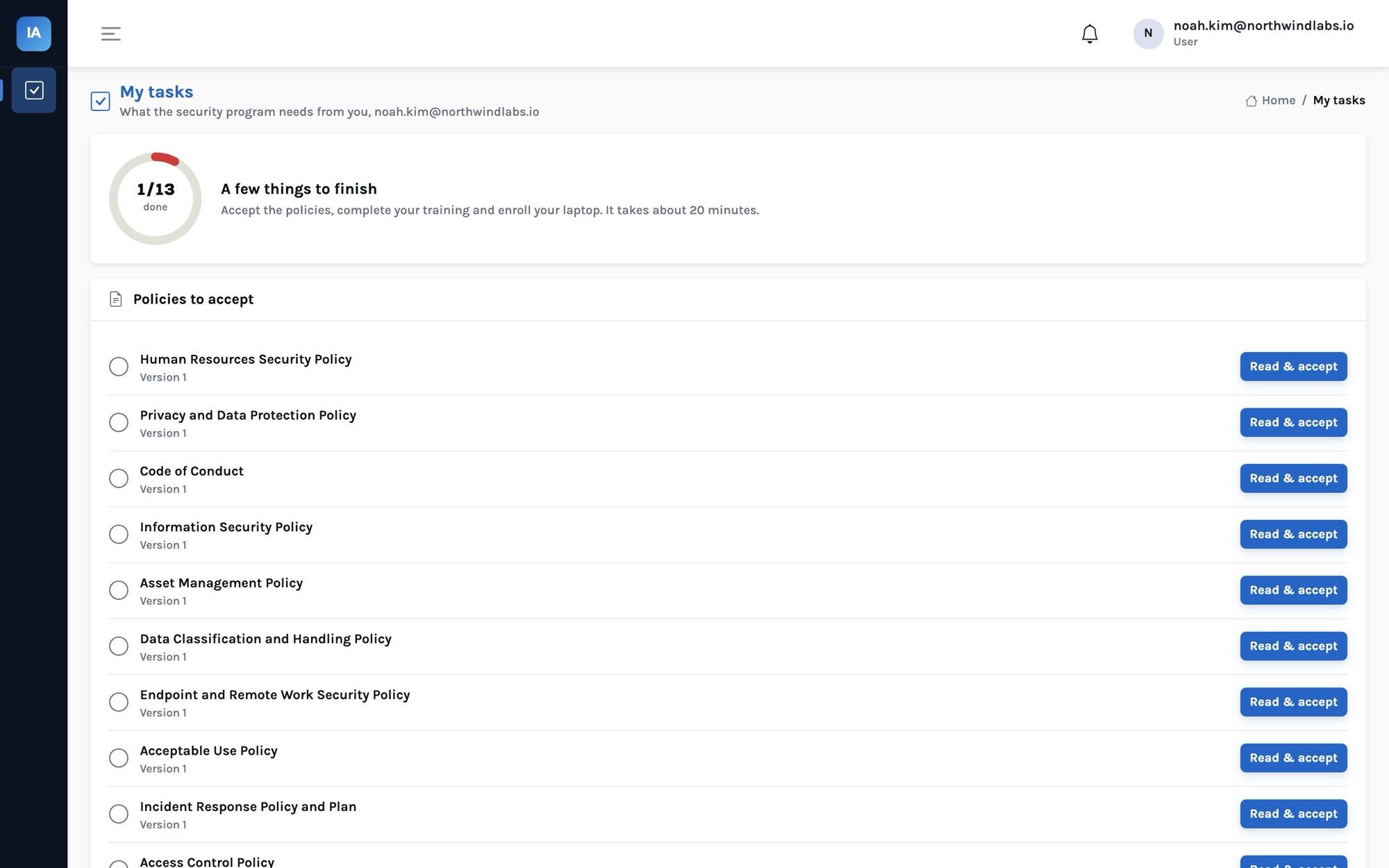
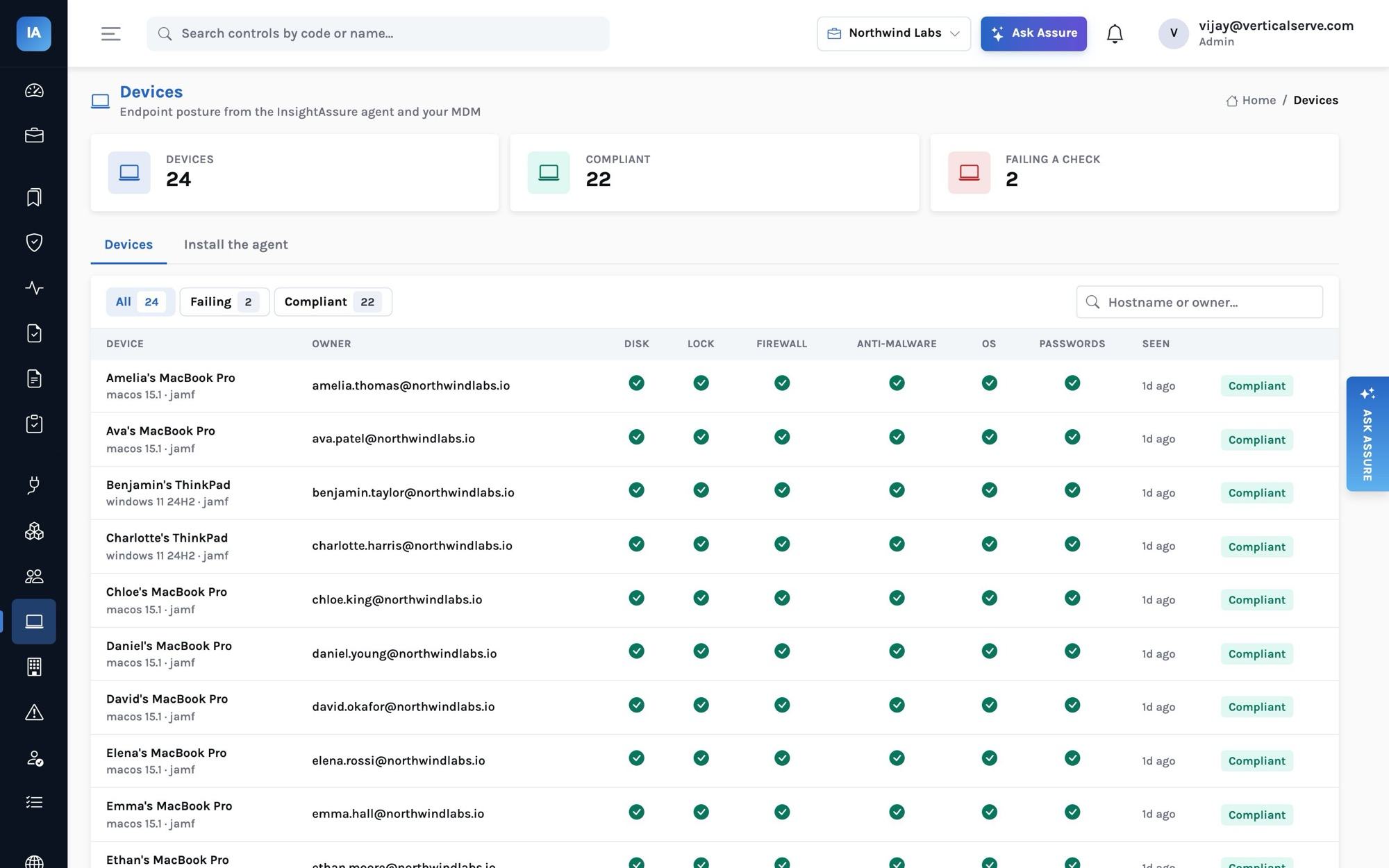
Employees can enroll their own laptops from My tasks with a personal key that binds the device to them. For a managed rollout, an administrator creates an organization key under Devices and pushes the agent with your MDM:
python3 assure_agent.py install --server https://assure.acmehealth.example --key ak_… --owner "$USER_EMAIL"
The agent is one Python file using only the standard library, for macOS, Windows and Linux. It reads disk encryption, screen lock and timeout, firewall, anti-malware, OS update status and the presence of a password manager — and changes nothing. It sends those results plus serial, hostname, platform and OS version, hourly. A check it cannot determine is sent as unknown and is not judged. The server accepts an organization-key check-in only for an owner email that belongs to a person in the organization.
A hardening checklist
Before the install holds real credentials and evidence:
- TLS in front. Terminate TLS at your proxy or load balancer; never expose port 8080 to the internet over plain HTTP.
- Single sign-on. Configure your identity provider (OIDC) for sign-in so access follows your joiner/mover/leaver process — and add the install's own accounts to your access reviews.
- Restrict the network path. The console only needs to be reachable by your staff and auditors; the public Trust Center routes (
/api/public/…) and the agent check-in are the only unauthenticated endpoints. If you do not use the Trust Center, keep the whole install on your private network or VPN. - Keep the database role ordinary. The application must not connect as a superuser or a role with BYPASSRLS — row-level security would be defined but not enforced. The init script warns if it does.
- Use a secret store if you have one, so integration credentials live in Vault, Key Vault or Secrets Manager rather than in the database.
- Use least-privilege integration credentials. Every connector's documentation names the read-only permissions it needs; grant exactly those.
- Monitor it like any production service.
/api/healthfor liveness,/api/health/readinessfor dependencies; logs to your log platform.
Sizing
The API, the background loop and the console are light. VerticalServe's own SaaS deployment plan runs the API in a 0.5 vCPU / 2 GB container for many organizations; a single-organization install fits comfortably on a small VM alongside Postgres. What grows over time is evidence storage (uploaded files) and the monitor-result history, which is trimmed after ASSURE_RESULT_HISTORY_DAYS (400 by default).
Backups
Back up two things, together:
- Postgres — with your usual tooling (
pg_dump, volume snapshots or a managed database's backups). - The
/datavolume — evidence files (unless they are in a bucket) and the two keys. Losing the sealing key makes stored integration credentials unreadable (you would re-enter them); losing the signing key signs everyone out.
Test a restore once a year — it is control BCP-02 in your own program, after all.
Upgrades
Pin an image tag, read the release notes, then:
docker compose pull && docker compose up -d
Migrations run on start and are idempotent; the API refuses to race itself across replicas. Rolling back means pinning the previous tag — but note that migrations move forward, so back up before upgrading.
Running it for clients
VerticalServe can operate a self-hosted install for a client on the client's infrastructure, with consultant accounts inside it. The program, the auditor workspace and the Trust Center work exactly as in the SaaS — see Running compliance for many clients.