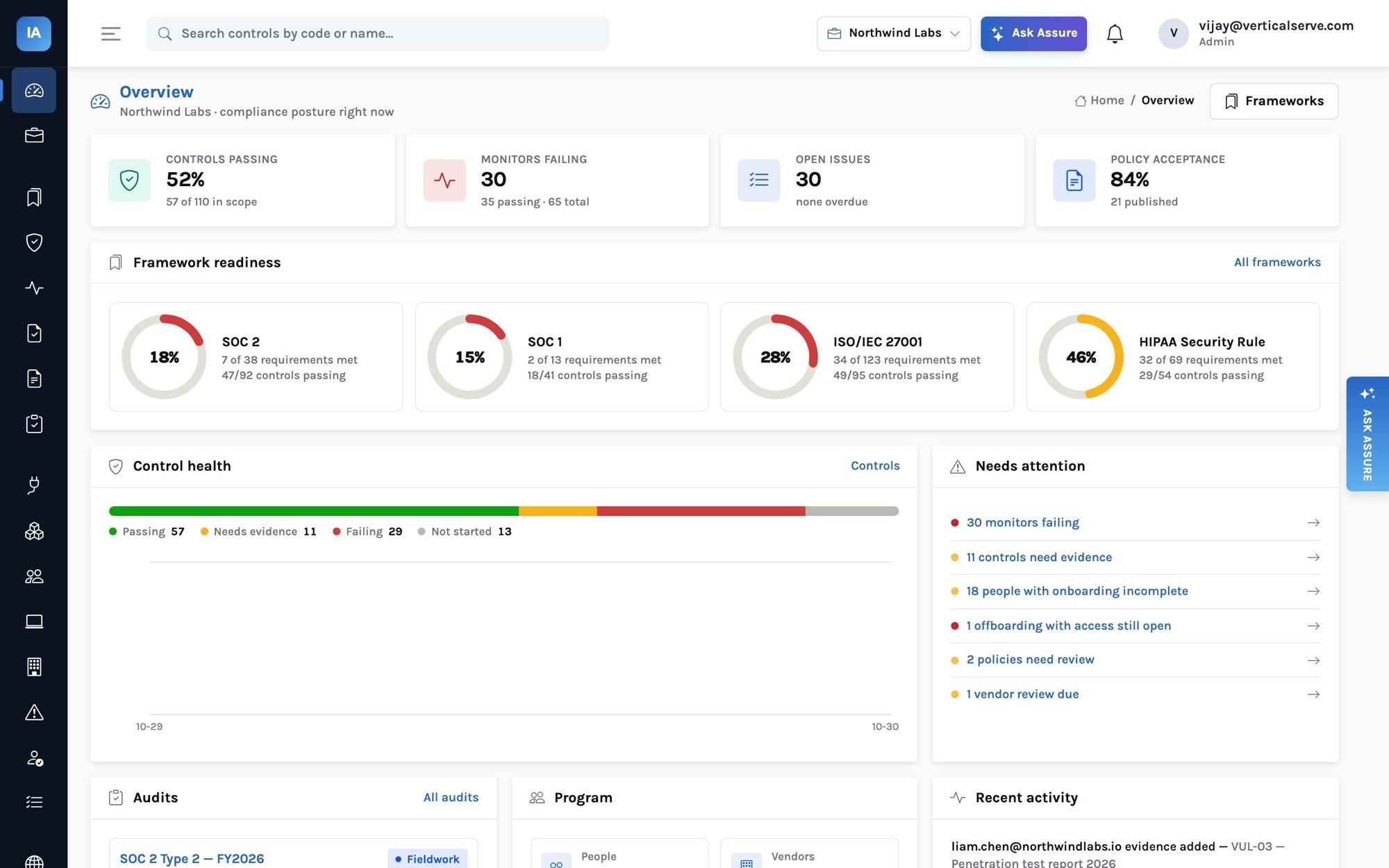
"Continuous compliance" is easy to say and easy to fake: a dashboard that is green because nobody connected anything. This post explains exactly how InsightAssure turns what your systems report into a control's health and a framework's readiness — and the design choices that stop it from lying to you.
The worked example is a real failure from the Northwind Labs demo workspace (a fictional company): an engineer who left twenty days ago is still active in Okta and GitHub.
The pipeline
Each stage has one job, and the boundaries are deliberate.
1. Connectors read, and only read
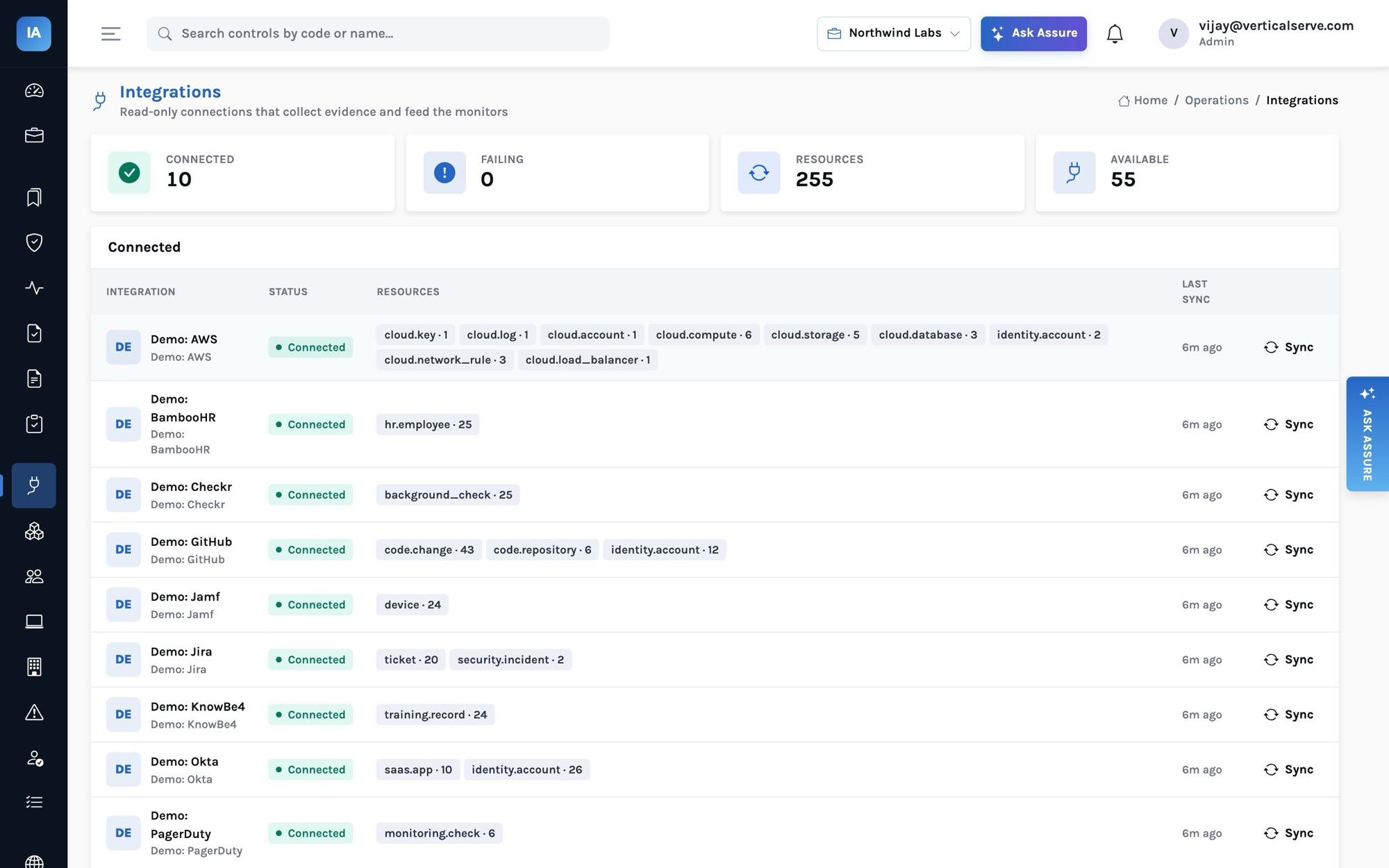
A connector authenticates with read-only credentials, calls the vendor's API and yields resources — it never writes to the product's tables and never judges anything. The 55 connectors cover cloud (AWS, GCP, Azure, DigitalOcean, Cloudflare, Heroku), identity (Okta, Google Workspace, Entra ID, JumpCloud, OneLogin), HR (BambooHR, Gusto, Rippling, HiBob, Personio, Deel, Workday, Justworks), code (GitHub, GitLab, Bitbucket, Azure DevOps), devices and endpoint security, scanners, ticketing, monitoring, training, background checks and Slack — plus a CSV import and a push API for anything else.
Credentials are sealed: stored in the platform's secret store when one is configured, otherwise AES-GCM-encrypted and bound to the integration's row. The API never returns them.
2. Resources are normalized
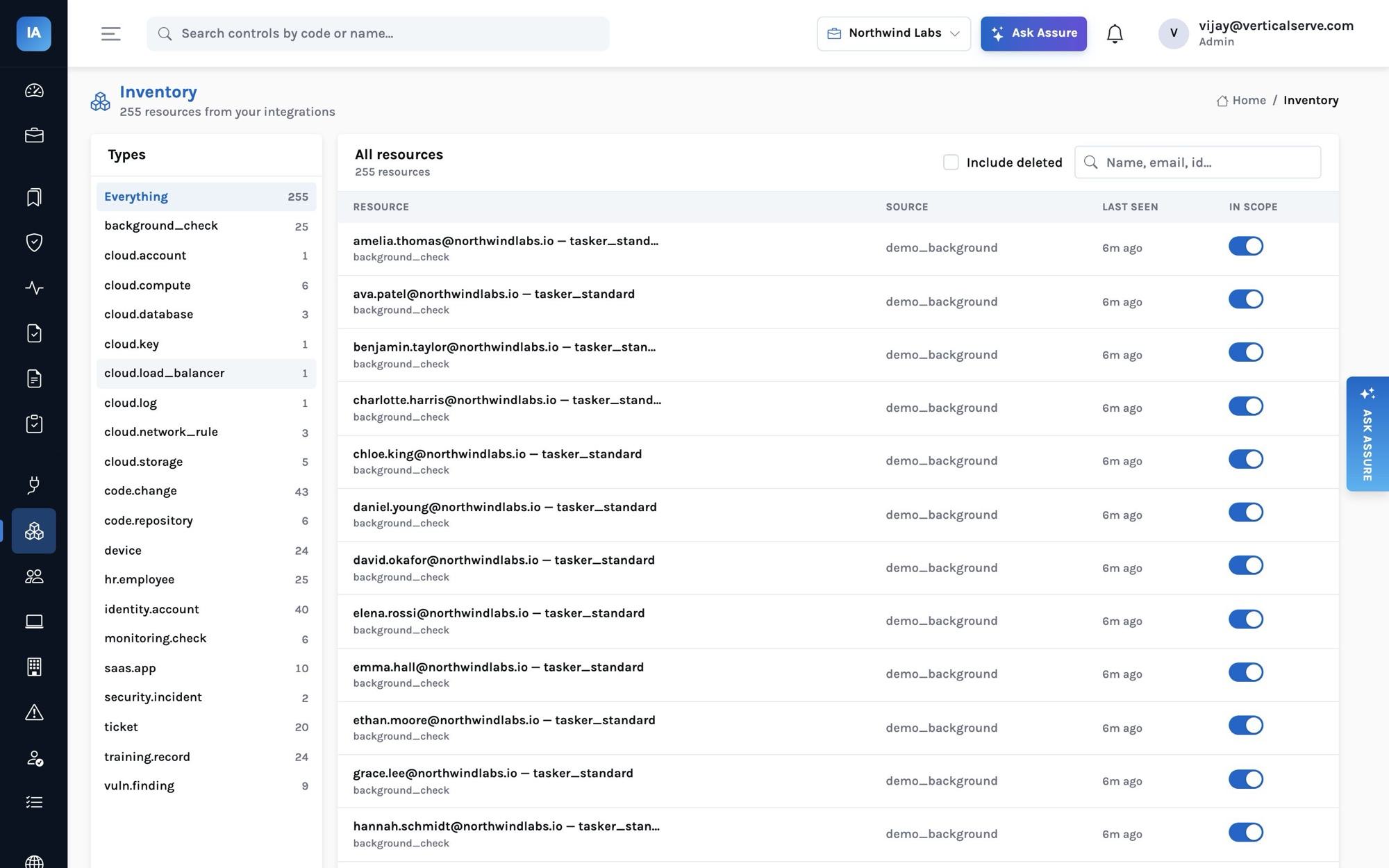
Every source is mapped onto a small set of resource types with fixed attribute names — identity.account, hr.employee, device, code.repository, code.change, cloud.storage, cloud.database, vuln.finding and so on. An Okta user and a GitHub member are both identity.account:
{
  "type": "identity.account",
  "external_id": "00u8k2marcus",
  "name": "marcus.webb@northwindlabs.io",
  "attributes": {
    "email": "marcus.webb@northwindlabs.io",
    "system": "okta",
    "active": true,
    "admin": false,
    "mfa_enabled": true,
    "kind": "human",
    "last_login": "2026-10-08T16:12:04+00:00",
    "groups": ["Engineering", "prod-readonly"]
  }
}
This is the design decision everything else rests on. A monitor written against identity.account works for Okta, Entra ID, GitHub, AWS IAM, Slack and any system you push in — today's and tomorrow's. Adding a connector adds coverage to every relevant test at once.
A sync upserts what it sees and marks what disappeared as deleted, so an account removed at the source stops counting. A failed sync changes nothing but the integration's status — a timeout never deletes your inventory.
3. Monitors judge
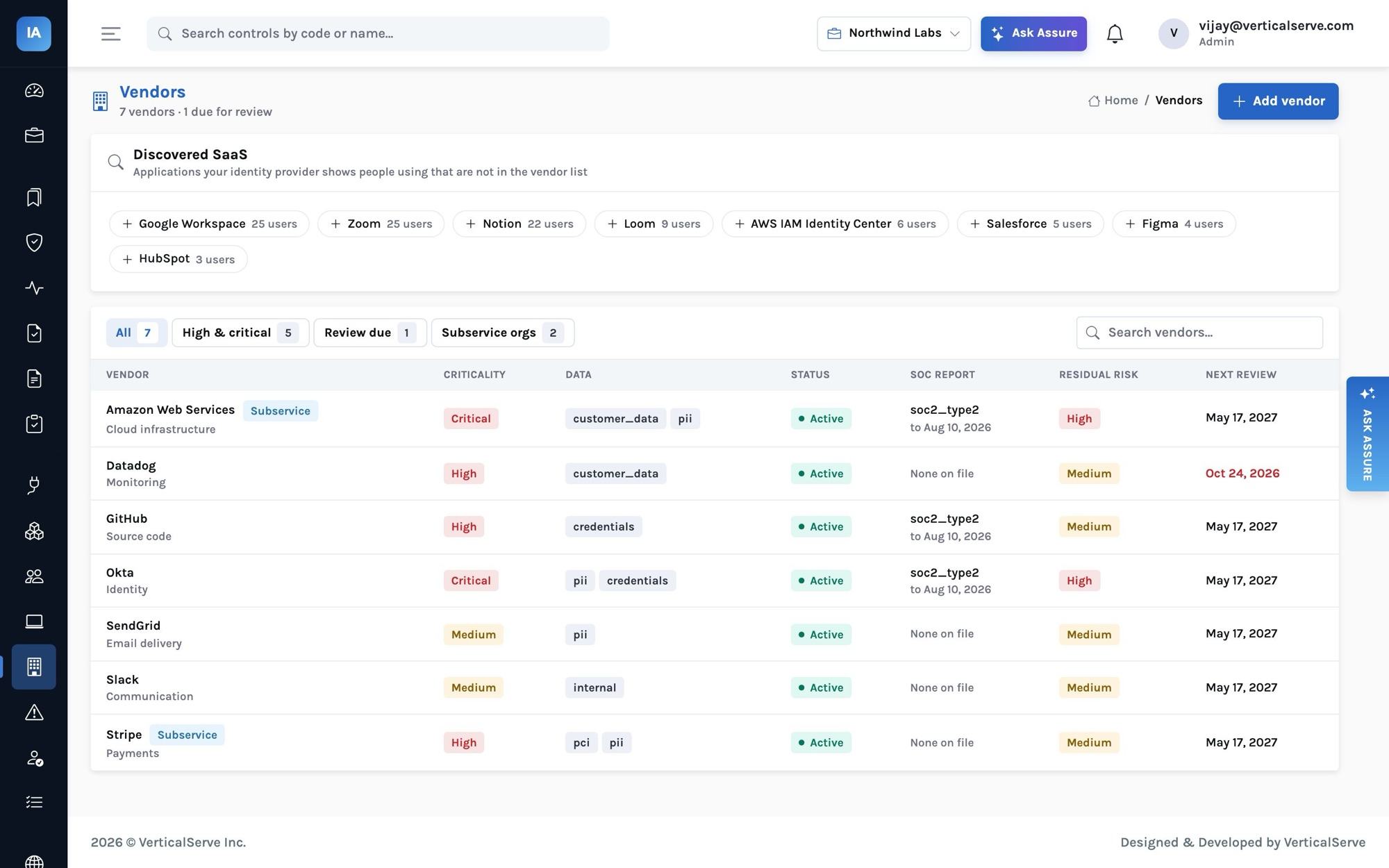
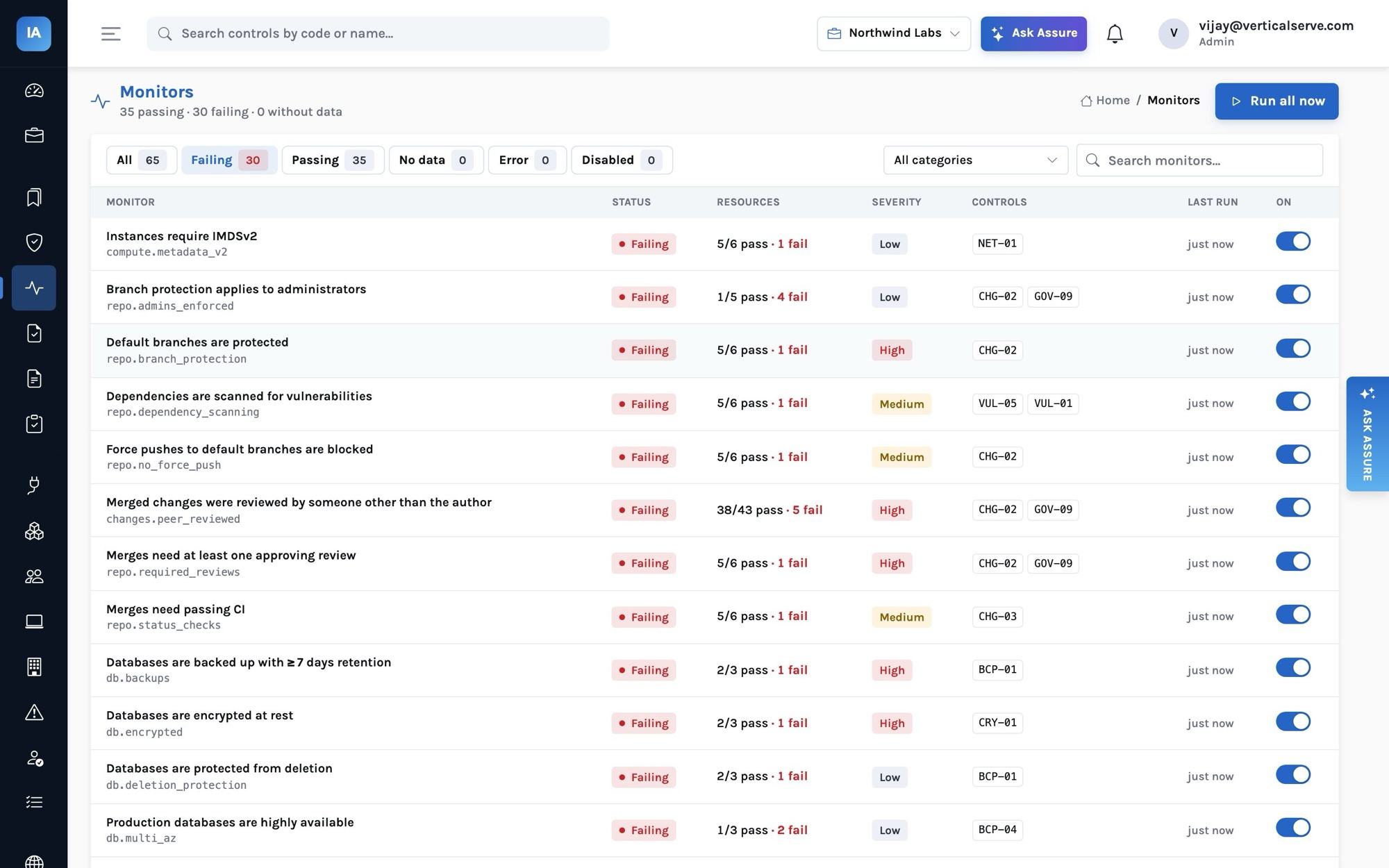
A monitor is a function over resources (and, for some, the program's own tables) that yields one outcome per thing it judged. The 65 monitors cover identity and access, cloud accounts and logging, data stores, network, source code and change management, vulnerabilities, devices, people and the program itself (policies, vendors, risks, access reviews).
Each run produces a status:
| Status | Meaning |
|---|---|
passing |
every outcome ok, or excepted |
failing |
at least one outcome not ok and not excepted |
no_data |
nothing to judge — the monitor names the connector categories that would provide it |
error |
the check raised; the error is recorded |
disabled |
turned off by a compliance manager |
no_data is not green. A program with nothing connected looks empty, not compliant.
4. Controls take their health from what is linked to them
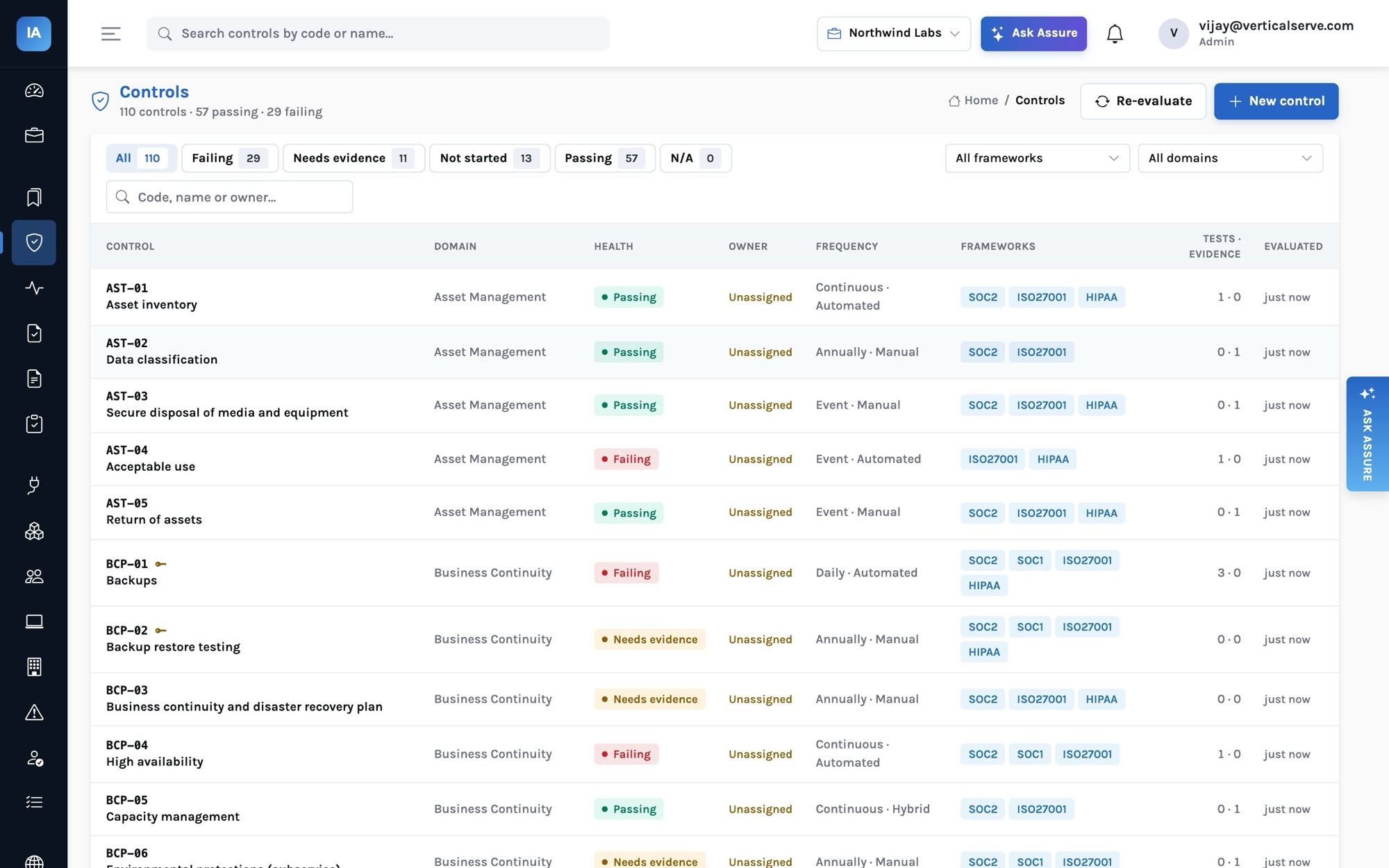
A control's health comes from three things: its monitors, its evidence and its policies. The rules, in order:
- Marked not applicable (with a reason) →
not_applicable. - Any linked monitor failing →
failing. Uploaded evidence cannot override a failing test. - No passing monitor, no evidence and no published policy →
not_started. - A manual or hybrid control without accepted evidence collected inside its frequency window →
needs_evidence. The windows: continuous and daily 7 days, weekly 14, monthly 45, quarterly 120, annually 395. - A linked policy not published, or past its review date →
needs_evidence. - Otherwise →
passing.
5. Requirements and readiness
A requirement (SOC 2 CC6.2, ISO A.5.18 …) is met when it has at least one in-scope control and all of them are passing or not applicable; it is a gap when nothing is mapped to it. Framework readiness is met requirements divided by in-scope requirements, and a snapshot is kept each day for the trend line.
The worked example: a leaver still has access
Northwind's HR system shows Marcus Webb, a software engineer, terminated twenty days ago. Okta and GitHub still show his accounts active. Here is what each stage does with that.
HR sync yields an hr.employee with status: terminated and an end_date. The people rebuild marks Marcus offboarded.
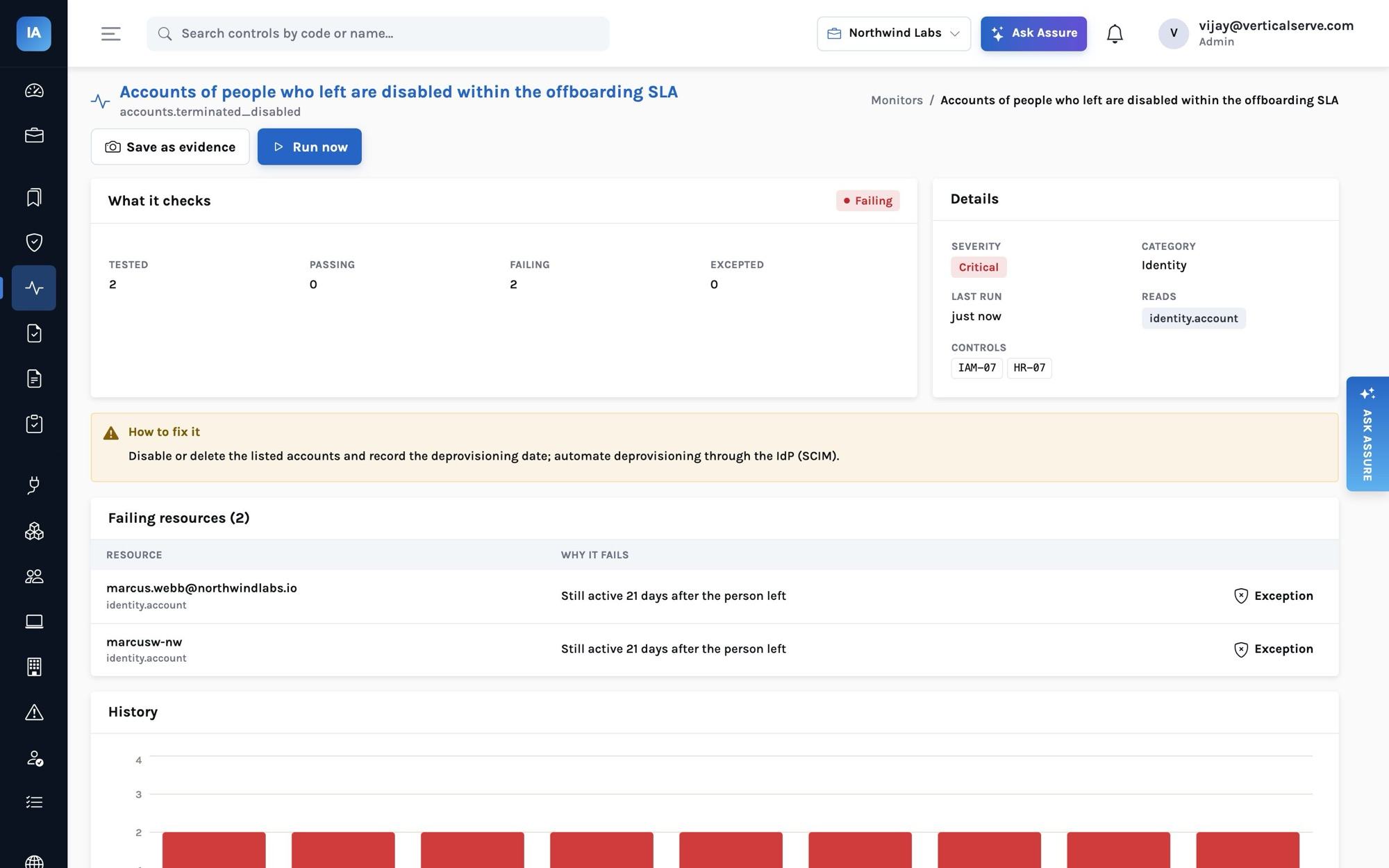
The monitor accounts.terminated_disabled (controls IAM-07 and HR-07, severity critical) compares every human account's owner against people who left. The offboarding SLA in Settings is three days. For each of Marcus's accounts:
{
  "key": "b3c1…",
  "name": "marcus.webb@northwindlabs.io",
  "type": "identity.account",
  "ok": false,
  "reason": "Still active 20 days after the person left"
}
An account still active but inside the SLA counts as passing — offboarding takes a day or two, and flagging it on day one would only teach people to ignore the monitor. An account already disabled passes too.
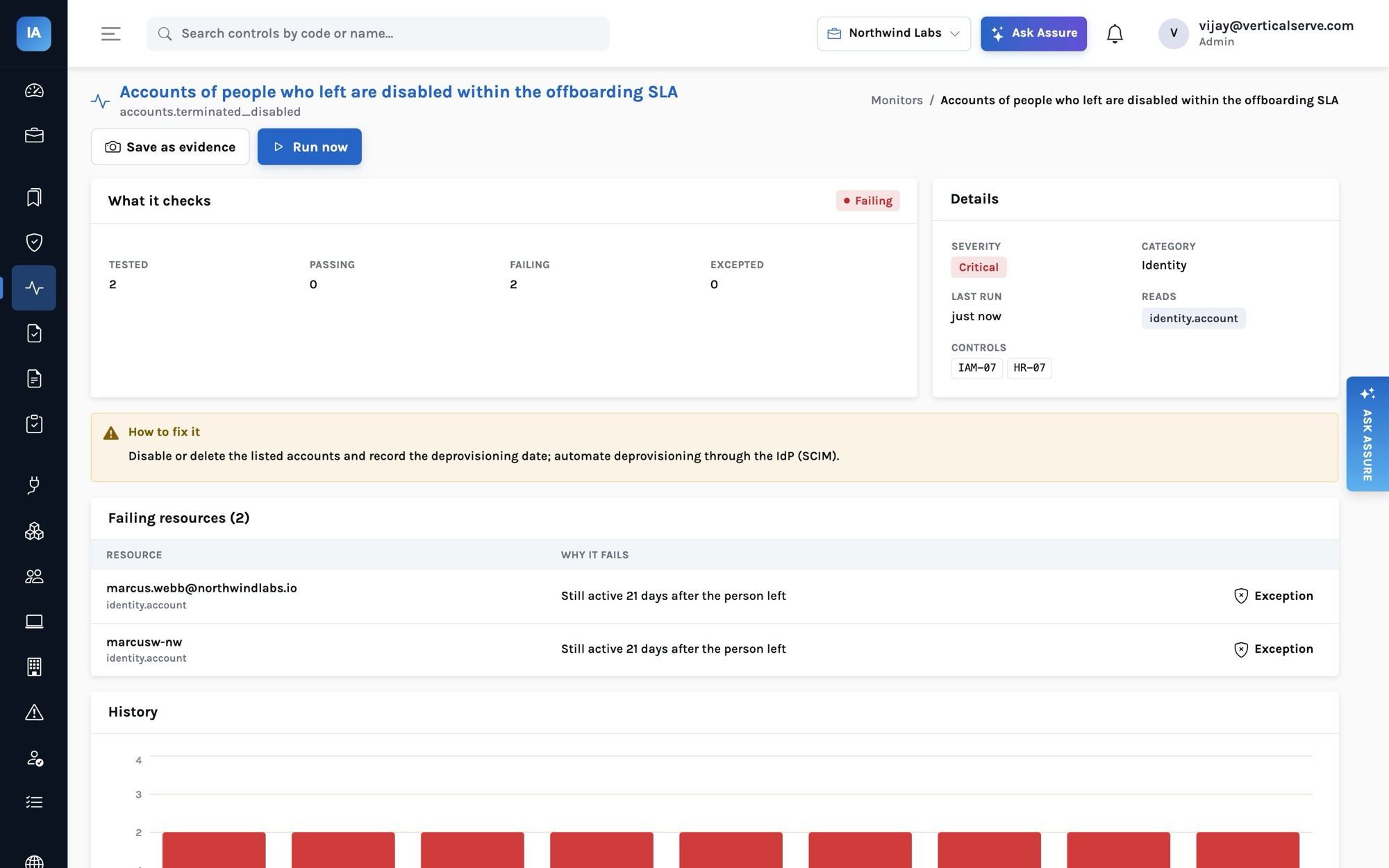
The issue. A failing monitor opens one issue (not one per run), with the failing resources and the remediation text, due in 7 days because the severity is critical. When the accounts are disabled and the next sync runs, the monitor passes and the issue resolves itself with a note.
The control and the frameworks. IAM-07 is now failing, so every requirement it maps to — SOC 2 CC6.2 and CC6.3, SOC 1 CO-01, ISO A.5.16 and A.5.18, HIPAA's termination procedures — is in progress rather than met, and readiness drops accordingly. Fixing the accounts fixes all of them at once.
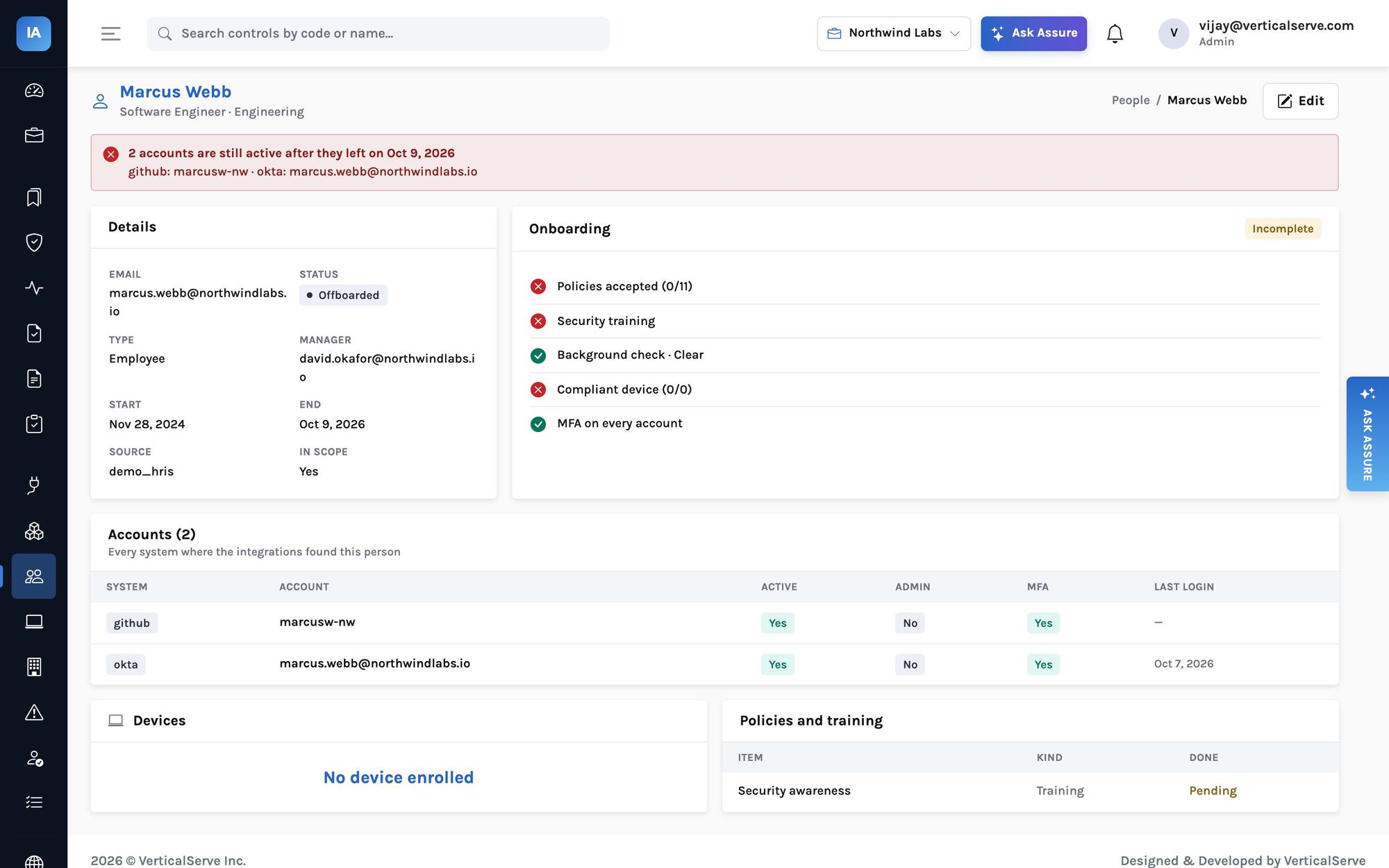
The person. Marcus's record shows the offboarding still open and lists the systems where he is active — what the security owner needs to finish the job.
Not judged when not reported
The most important rule in the monitor library is easy to miss: a monitor never fails a resource for data the source did not provide.
Slack only reports two-factor status on paid plans. GitHub only reveals members without 2FA to an organization owner's token. Some MDMs do not report the password manager. If a monitor treated a missing value as "off", every one of those gaps would appear as a failure — and the team would learn that failures are noise.
So mfa_enabled: null means unknown, and idp.mfa_enforced skips it. If a monitor has nothing it can judge, its status is no_data and it says which connector categories would help. The one deliberate exception is administrators: accounts.admin_mfa treats unknown MFA as missing, because an administrator without confirmed MFA is a risk you should resolve either way.
Exceptions, honestly recorded
Sometimes a failure is intentional. Northwind's northwind-marketing-assets bucket is public because it serves website images. The right response is not to disable storage.not_public — it is an exception on that one resource, with a reason ("public by design: marketing assets only, no customer data") and an expiry date. The outcome then counts as excepted, the monitor passes, and the exception — who added it, when, why, until when — is visible to the auditor.
What to do with monitor results during an audit
Monitor history covers the whole period automatically. For controls the auditor will test by inspection, snapshot the monitor periodically — a snapshot freezes the result and the population it judged (every bucket, every account) as evidence linked to the monitor's controls. That answers the auditor's two questions in one artefact: what did you check, and what did it find.
Adding your own signals
If a system has no connector, send resources in with the push API and every existing monitor applies to them:
curl -X POST https://assure.example.com/api/integrations/$CONNECTION_ID/resources \
  -H "Authorization: Bearer $API_KEY" -H "Content-Type: application/json" \
  -d '{"complete": true, "resources": [
        {"type": "identity.account", "external_id": "u-1042", "name": "ada@acme.com",
         "attributes": {"email": "ada@acme.com", "system": "billing-admin", "active": true,
                        "admin": true, "mfa_enabled": false}}]}'
complete: true says "this is everything" — resources missing from the batch are marked deleted. That billing-admin account now shows up in accounts.admin_mfa, in the unknown-owner check and in the next access review of that system.