- contact@verticalserve.com
- Continuous compliance, proven every hour

Docs
The device agent
Laptop posture for the endpoint controls, from a single read-only Python file.
What it is
The device agent is one Python file, standard library only (Python 3.9 or later), for macOS, Windows and Linux. It reads security settings and never changes them, and reports hourly. Besides the checks it sends the serial number, hostname, platform, OS version and its own version, nothing else: no files, browsing or process list.
Checks
| Check | macOS | Windows | Linux |
|---|---|---|---|
disk_encrypted | fdesetup status (FileVault) | BitLocker: Get-BitLockerVolume or manage-bde | a crypt device in lsblk (LUKS) |
screen_lock, screen_lock_timeout_s | sysadminctl -screenLock and the screensaver idle time | InactivityTimeoutSecs policy, or a secure screensaver and its timeout | GNOME lock-enabled and idle-delay |
firewall | Application Firewall global state | netsh advfirewall: every profile on | ufw, firewalld or an nftables input hook |
antivirus | XProtect, or a known EDR process | Security Center anti-virus product state | a known EDR or ClamAV process |
os_up_to_date | softwareupdate -l --no-scan | pending updates via the Windows Update API | apt security upgrades or dnf updateinfo --security |
password_manager | 1Password, Bitwarden, LastPass… in Applications | in Program Files or AppData | binaries or install folders |
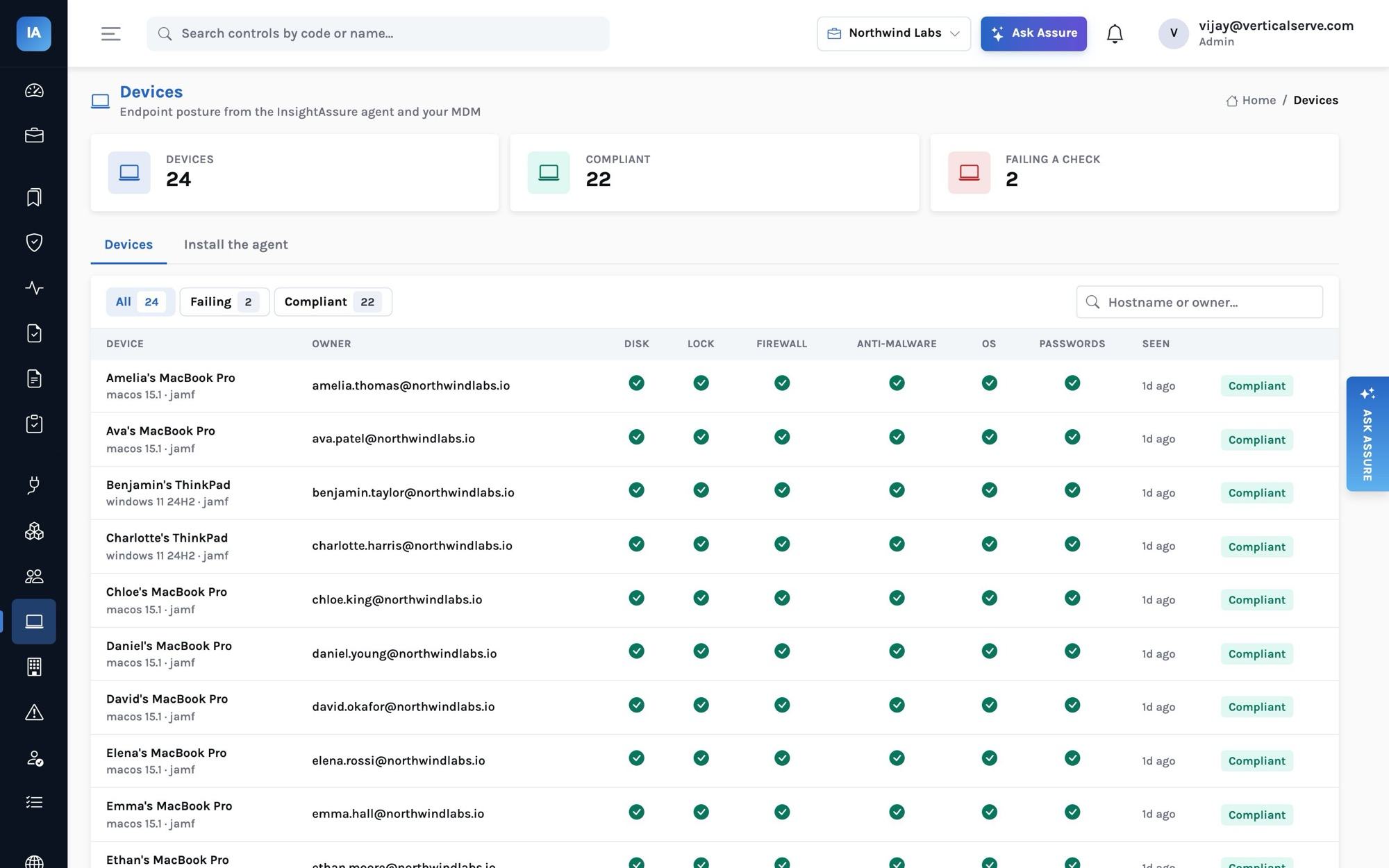
A check the agent cannot determine is sent as null and is not judged. The device monitors then test each check: disk encryption, screen lock within 15 minutes, anti-malware, OS updates, password manager, firewall, and a check-in in the last 14 days.
Enroll a laptop
Each person’s My tasks page shows their personal key (ad_…) and the command for their platform. The key is signed for that person, so the device is bound to whoever enrolled it and nobody can report a device as someone else.
curl -fsSL https://assure.example.com/api/agent/script -o /tmp/assure_agent.py
python3 /tmp/assure_agent.py status                                   # what it would send, nothing sent
python3 /tmp/assure_agent.py install --server https://assure.example.com --key ad_…       # enroll and check in hourly
python3 /tmp/assure_agent.py uninstalliwr https://assure.example.com/api/agent/script -OutFile $env:TEMP\assure_agent.py
py $env:TEMP\assure_agent.py install --server https://assure.example.com --key ad_…Rollout through MDM
An administrator creates the organization key (ak_…) under Devices → Install the agent; it is shown in full only when created, and stored hashed. Push the agent with your MDM and pass each user’s work email; the API accepts the device only for a person in the organization.
python3 assure_agent.py install --server https://assure.example.com --key ak_… --owner ada@acme.comScheduling
| Platform | How it runs hourly |
|---|---|
| macOS | A LaunchAgent, ~/Library/LaunchAgents/com.insightassure.agent.plist |
| Windows | A scheduled task, InsightAssure Agent |
| Linux | A systemd user timer, insightassure-agent.timer, or crontab where there is no systemd |
The check-in
RequestPOST /api/agent/checkin
X-Assure-Device-Key: ad_…
{"device": {"serial": "C02XK1JHMD6R", "hostname": "ada-mbp", "platform": "macos", "os_version": "15.1",
"agent_version": "1.0.0",
"checks": {"disk_encrypted": true, "screen_lock": true, "screen_lock_timeout_s": 300,
"firewall": true, "antivirus": true, "os_up_to_date": true, "password_manager": true}}}{"ok": true, "next_checkin_s": 3600}The device appears under Devices and on the person’s page. Devices from Jamf, Kandji, Intune, CrowdStrike or SentinelOne arrive the same way through their integrations.