- contact@verticalserve.com
- Continuous compliance, proven every hour

People & devices
Onboarding and offboarding, checked, not ticked
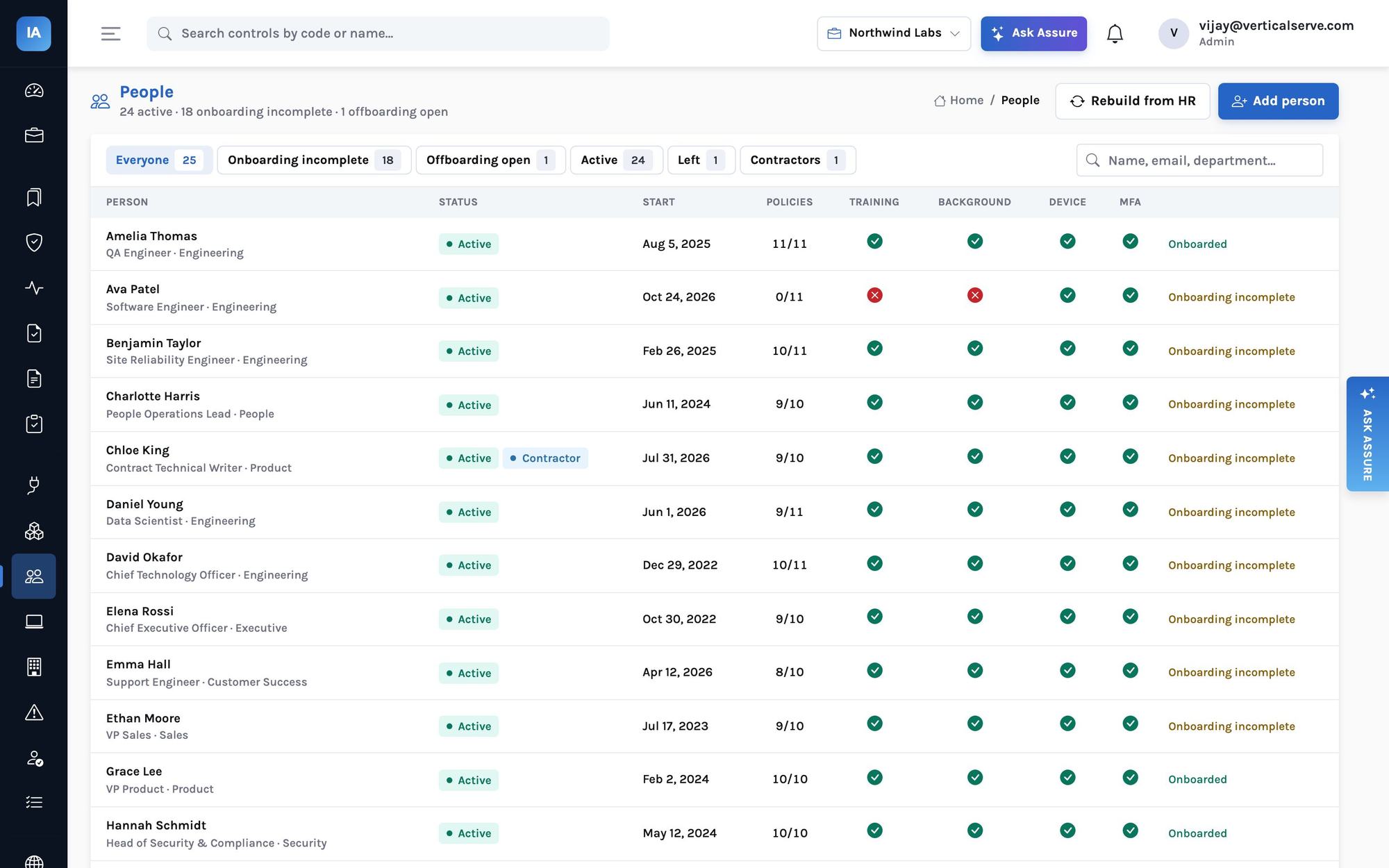
People come from your HR system, or your identity provider when there is none. Each person’s checklist is filled in by the integrations, and anyone who left with an account still open is named.
Onboarding
Every person, every check, on one row
For each person in scope: policies accepted against the versions in force, security awareness training within the last year, a cleared background check, at least one monitored device, and MFA in the identity provider. New hires get the grace periods set in Settings (30 days by default) before a missing item fails a monitor.
The HR system is authoritative for status, dates, department and manager; people you add or edit by hand are enriched by later syncs, never overwritten.
Offboarding
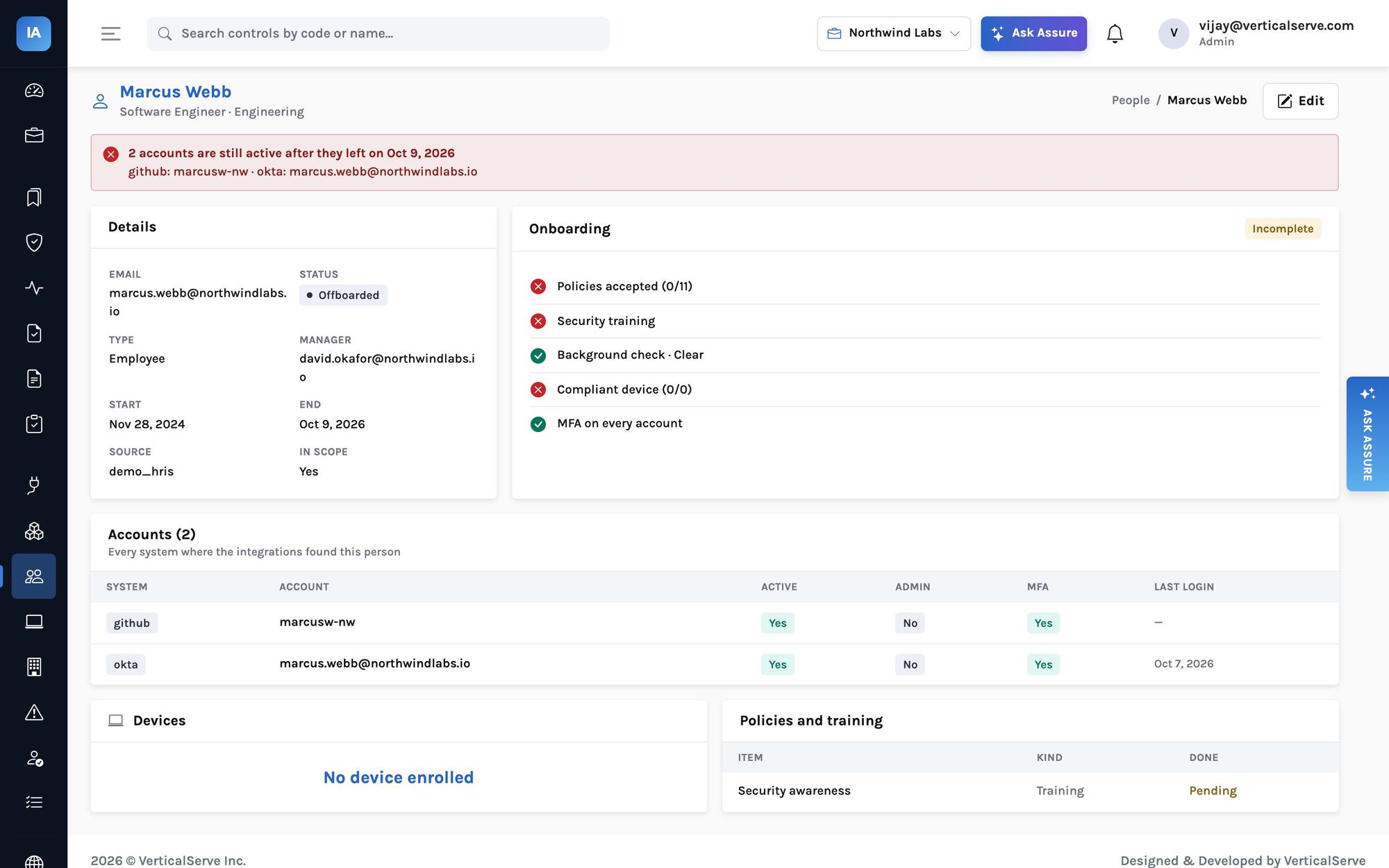
The accounts that survived a departure
When someone leaves, every account the integrations found for them is checked. Accounts still active after the offboarding SLA (3 days by default, set in Settings) fail the offboarding monitor and appear in a banner on the person’s page, with the system, the username and the last sign-in.
Devices
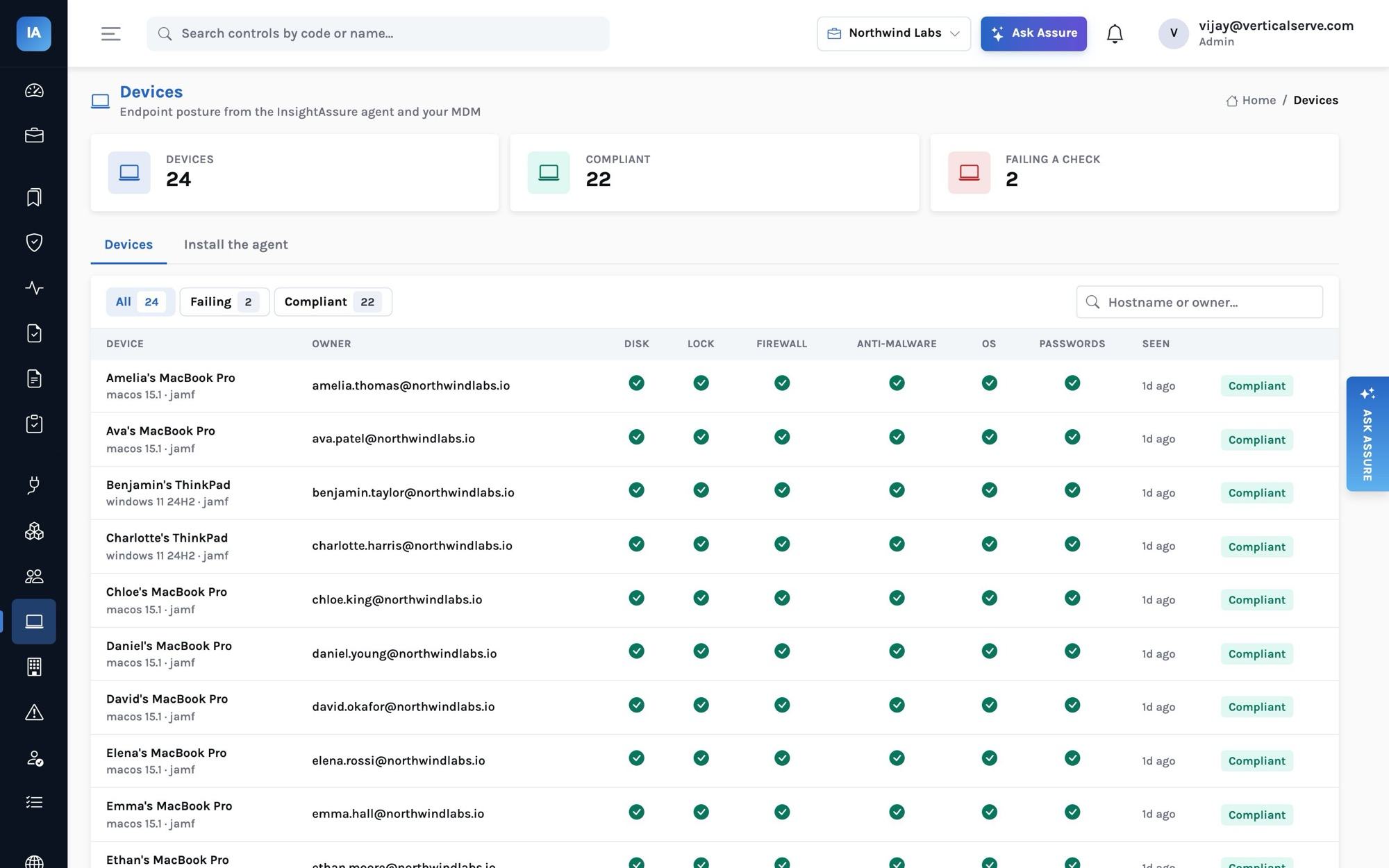
Laptop posture from MDM, EDR or the agent
Disk encryption, screen lock and its timeout, firewall, anti-malware, OS updates and a password manager, from Jamf, Kandji, Intune, CrowdStrike, SentinelOne or the InsightAssure agent. A check a source cannot determine is left unjudged.
The agent is one Python file using only the standard library, for macOS, Windows and Linux. It reads settings and never changes them, and sends only the checks plus serial, hostname, platform and OS version, hourly.
Enrollment
Two ways to enroll a laptop
| Key | Who uses it | How the device is bound |
|---|---|---|
Personal (ad_…) | An employee, from their My tasks page | An HMAC over organization and email: the device belongs to the person who enrolled it, and nobody can report a device as someone else |
Organization (ak_…) | An administrator, for an MDM-pushed rollout | Stored hashed; the agent names its owner, accepted only for a person in the organization |
python3 assure_agent.py install --server https://app.insightassure.com --key ad_…Employee portal
What an employee sees
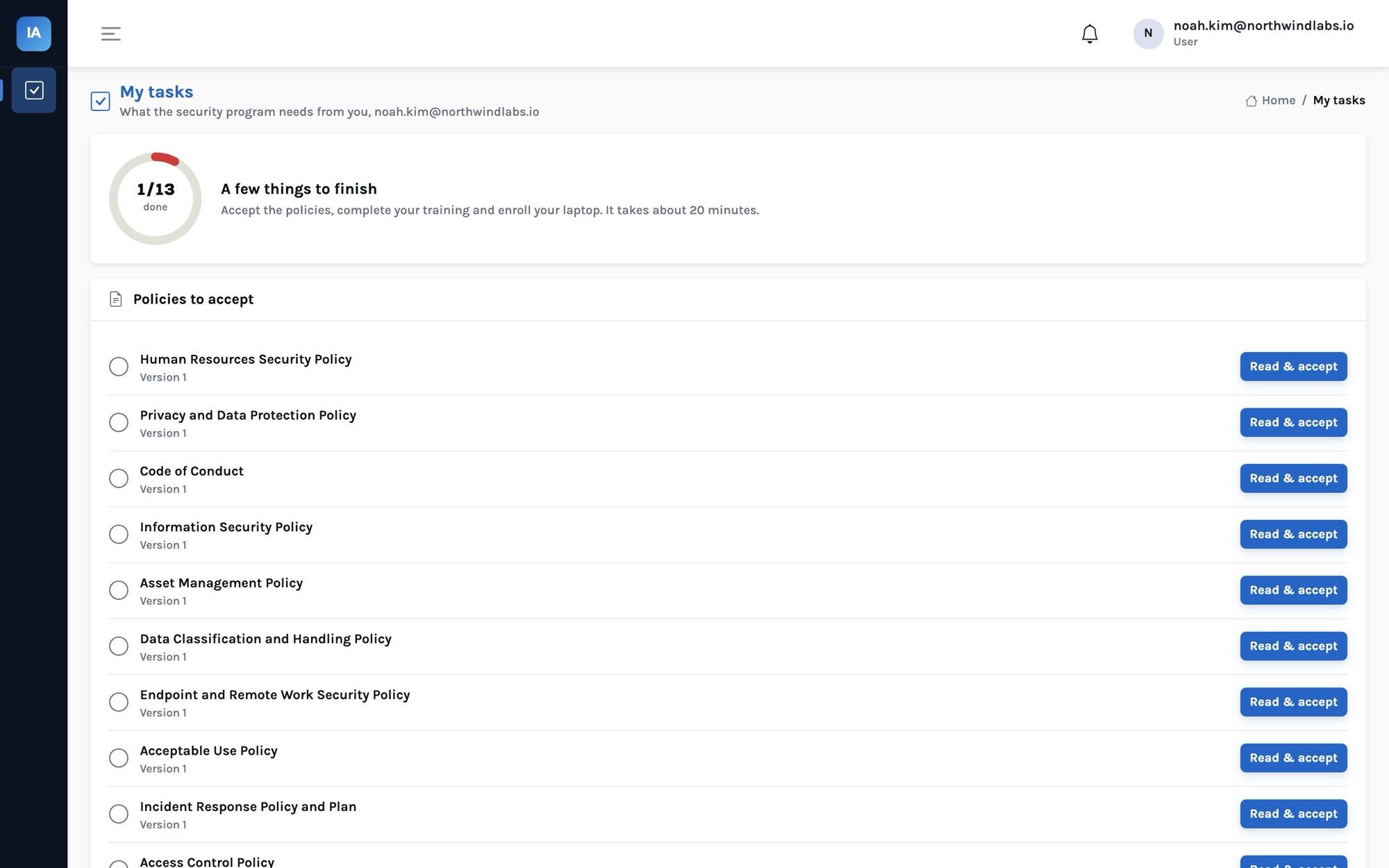
An employee signs in to My tasks only: the published policies to read and accept, the training courses with a short quiz (80% to pass), and the command that enrolls their laptop. Acceptances record the version, the time, the IP address and the browser.
How it works
A person’s checklist, filled in by the systems that know
Questions it answers
What you can find out
Each one is answered on a screen you can open, and most can be typed into Ask Assure as they are.
Who has not finished onboarding?People → Onboarding incomplete, with the missing items
Who left with access still open?People → Offboarding open, and each person’s banner
Whose training has expired?Security awareness training is current
Which laptops fail a check?Devices → Failing
Who has no monitored device?Every person has a monitored device
Has everyone accepted the new access policy?The policy’s acceptances: accepted and pending
Outcomes
What teams do with it
Onboarding that finishes itself
Employees complete their own items; the program sees the result.
Offboarding you can prove
Each leaver’s accounts checked across every system, with dates.
Devices without a new MDM
The agent covers laptops no MDM manages.
Where it stops. Matching is by email, so a system that records people by username only needs an owner set on the resource. The agent reports what the operating system says; it does not enforce settings, and a check it cannot determine (for example a Linux firewall without permission to read it) is sent as unknown.