- contact@verticalserve.com
- Continuous compliance, proven every hour

Trust Center
Show customers the program, live
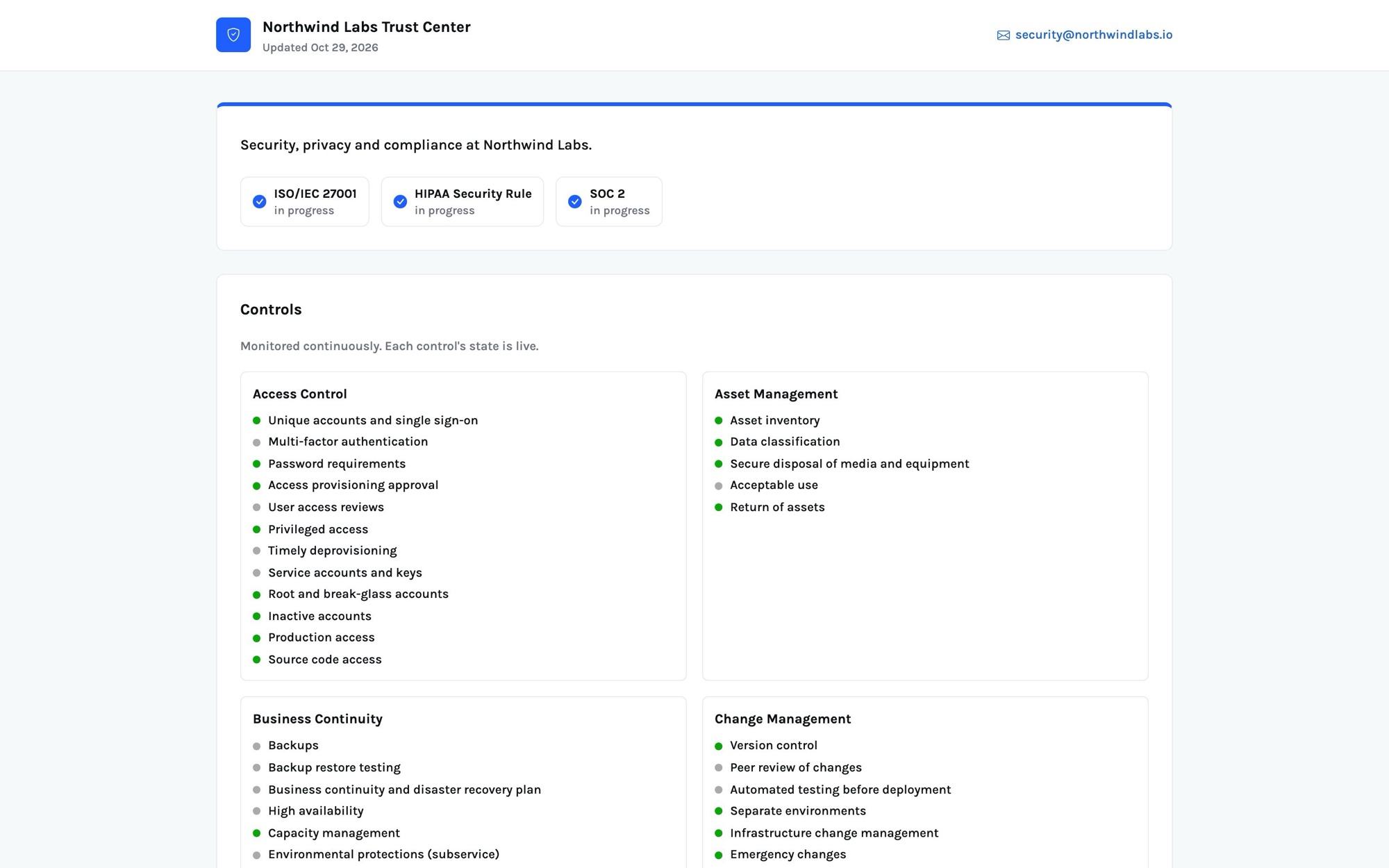
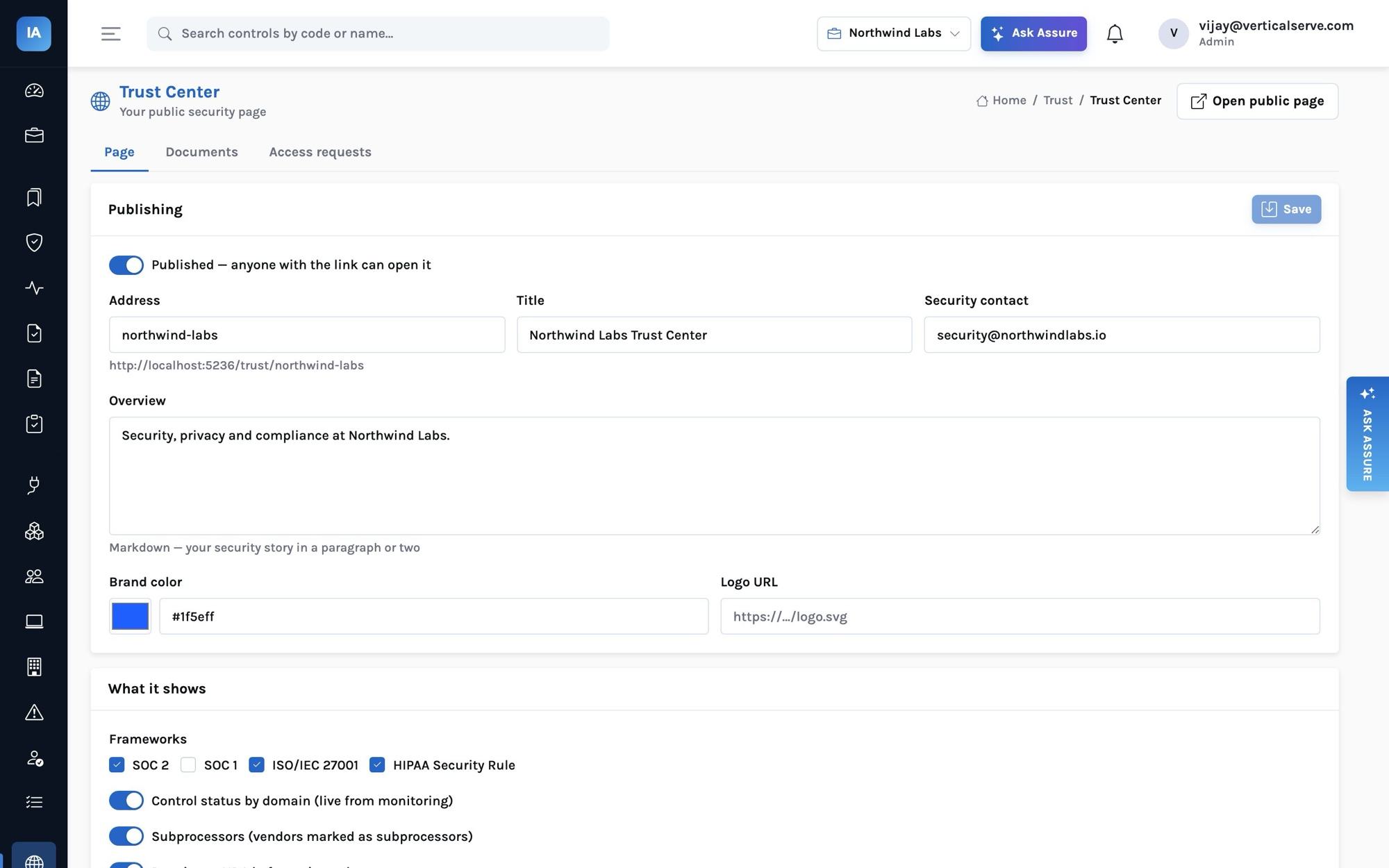
Publish a Trust Center at an address you choose: the frameworks you report on, the live status of your controls by domain, your subprocessors, FAQs, and documents released under NDA.
The public page
What a prospect sees without signing in
Frameworks you choose, marked compliant or in progress from their readiness; controls grouped by domain with a live status dot each; the vendors you mark as subprocessors with their purpose and location; FAQs; and a document list where each document is public or released on request.
Access requests
Documents under NDA, through expiring links
A visitor requests access with their name, email, company and reason, accepting your NDA text when you require one. Requests are rate-limited per address and notify your compliance team. Approving one issues a link valid for 30 days; the token is stored only as a hash, and a denied or expired request opens nothing.
Documents are uploaded evidence (your SOC 2 report, a penetration test summary) or published policies, rendered to PDF on download.
How it works
From a request to a downloaded report
Questions it answers
What you can find out
Each one is answered on a screen you can open, and most can be typed into Ask Assure as they are.
Who asked for our SOC 2 report this month?Trust Center → Access requests
Which subprocessors are listed publicly?Vendors marked as subprocessors
Is the page showing ISO 27001?Trust Center settings → frameworks
Revoke a buyer’s accessDeny the request; the link stops working
What does a prospect see?Open public page
Which documents are public?Documents with public visibility
Outcomes
What teams do with it
Fewer questionnaires
Prospects read the answers before they ask.
Reports released, not emailed
NDA accepted, link expires, request recorded.
Status that is current
Controls by domain straight from monitoring.
Where it stops. The Trust Center shows status by domain, not individual failures or evidence. It is served by the console at
/trust/<address>; there is no custom-domain setting and no CRM sync of approved requesters yet.