- contact@verticalserve.com
- Continuous compliance, proven every hour

Docs
Integrations, resources and the push API
Read-only connectors, one normalized inventory, and two ways to bring in a system that has no connector.
How connecting works
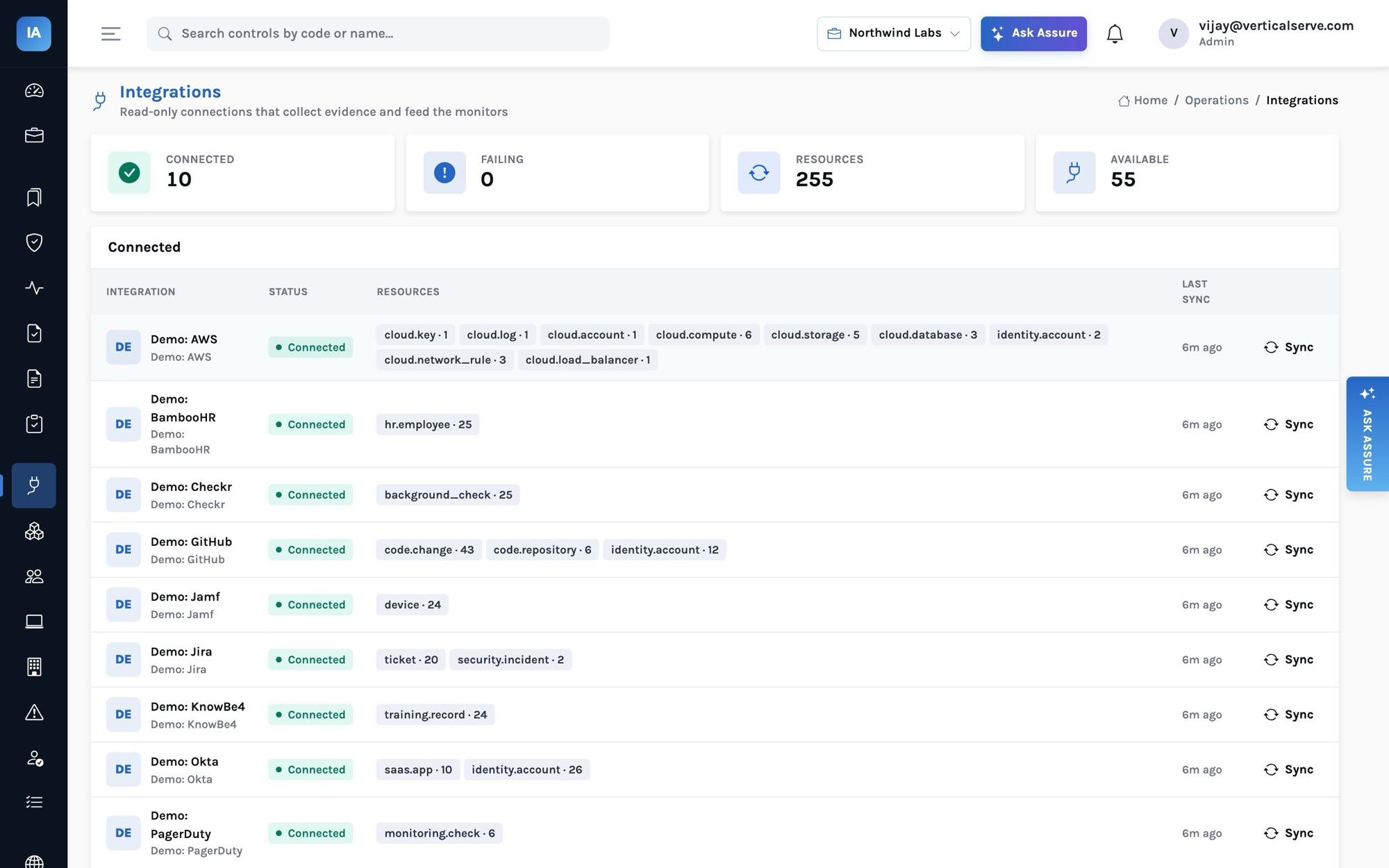
A connector reads one system with read-only credentials and yields normalized resources; it never writes to your systems or to the program’s tables. The sync upserts what it yields and marks anything missing from a complete sync as deleted. A failed sync changes nothing but the integration’s status, and its error says what to fix. Syncs run when you connect, on demand, and every six hours by default (15 minutes to a week).
55 connectors ship, in 14 categories: cloud, identity, HR, version control, devices, endpoint security, vulnerability, ticketing, monitoring, training, background checks, communication, InsightFortify, and custom (CSV import and the push API). Each connector’s panel lists the least-privilege credential it needs, for example a GitHub fine-grained token with read access to administration, contents, members and pull requests, or an AWS role with SecurityAudit and ViewOnlyAccess assumed with an external ID.
Credentials
Secret fields are sealed on save (your secret store, or AES-GCM bound to the row) and never returned. To use a secret you already manage, enter ref: followed by its reference, for example ref:aws-sm://prod/okta#token; it is resolved at sync time. Outbound requests refuse private, loopback and cloud-metadata addresses unless ASSURE_ALLOW_PRIVATE_INTEGRATIONS is set.
Normalized resource types
Monitors read these types and attribute names only, so any source that yields them feeds every test. Attributes a source does not report are left out, and a monitor never judges a resource on data it was not given.
| Type | Key attributes |
|---|---|
identity.account | email, system (required), active, admin, mfa_enabled, kind (human/service), last_login, roles, groups, credentials [{kind, age_days, last_used_days}] |
hr.employee | email (required), name, title, department, manager_email, status (active/terminated/leave/pending), employment_type, start_date, end_date |
device | owner_email, hostname, serial, platform, os_version, disk_encrypted, screen_lock, screen_lock_timeout_s, firewall, antivirus, os_up_to_date, password_manager, mdm_managed, last_seen |
code.repository | full_name, private, archived, default_branch, branch_protection, required_reviews, require_status_checks, enforce_admins, allow_force_push, secret_scanning, dependency_scanning |
code.change | repository, number, title, author, merged_at (required), merged_by, approvals, approvers, ci_passed |
cloud.account | provider, account_id, root_mfa, password_min_length, audit_logging, threat_detection, config_recording |
cloud.storage, cloud.database, cloud.compute | public, encrypted, versioning, backup_enabled, backup_retention_days, multi_az, deletion_protection, volumes_encrypted, metadata_v2 |
cloud.network_rule, cloud.key, cloud.log, cloud.load_balancer | open_ports_world, ssh_world, rdp_world; rotation_enabled; kind, multi_region, validation, retention_days; https_only, tls_policy |
vuln.finding | severity, status (open/fixed/ignored), title, cve, package, asset, first_seen, fixed_at, source |
security.incident, ticket | severity, status, opened_at, resolved_at; key, title, type, status, labels |
training.record, background_check | person_email, course, status, completed_at, due; person_email, status (clear/consider/pending), completed_at |
monitoring.check, saas.app | kind (uptime/metric/log/oncall/escalation), enabled, notifies; name, users, source |
CSV import
The CSV import connector takes any resource type: choose the type, paste or upload a CSV with a header row, and columns become attributes. true/false and numbers are converted, and semicolon-separated cells become lists. Use it for a system with no API, or a one-off population.
Push API
Create a Push API connection, then send resources to it from a script, a CI job or an internal system, with an API key that holds the compliance role (Users & access → API keys). With complete: true the batch is everything: resources not in it are marked deleted. Up to 5,000 resources per call; the monitors and control health run as soon as it is accepted.
curl -X POST https://assure.example.com/api/integrations/$CONNECTION_ID/resources \
  -H "Authorization: Bearer $ASSURE_API_KEY" -H "Content-Type: application/json" \
  -d '{
    "complete": true,
    "resources": [
      {"type": "identity.account", "external_id": "u-1042", "name": "ada@acme.com",
       "attributes": {"email": "ada@acme.com", "system": "billing-admin", "active": true,
                      "admin": true, "mfa_enabled": false, "kind": "human"}}
    ]
}'{"status": "SUCCESS", "data": {"accepted": 1, "deleted": 0, "by_type": {"identity.account": 1}}}An unknown type is refused with 422 and nothing is written. The pushed admin account above would fail accounts.admin_mfa on the next run, and appear in the next access review of the billing-admin system.