A prospect's security team sends a questionnaire with one line highlighted: "Please provide your most recent SOC 2 Type 2 report." For most small SaaS companies that line is the start of the project. This post is the plan we use — what to decide, what to build, in what order, and what the auditor will actually look at. It uses InsightAssure for the mechanics, but the sequence holds whatever tooling you choose.
The running example is a fictional 25-person company, Northwind Labs: one product on AWS, Okta for sign-in, BambooHR for HR, GitHub for code, laptops on macOS. The screenshots come from Northwind's demo workspace in InsightAssure.
What a SOC 2 report is (and is not)
A SOC 2 report is an independent CPA firm's opinion on the controls you operate over a system, measured against the AICPA's Trust Services Criteria (TSC). It is not a certification and it has no pass mark. The auditor describes your controls, tests them, and lists any exceptions. Customers read the opinion, the description of your system, and the exceptions section.
There are two types:
| Type 1 | Type 2 | |
|---|---|---|
| What is tested | Design of controls at a point in time | Design and operating effectiveness over a period |
| Period | One date ("as of") | Usually 3–12 months; first reports often 3 |
| Evidence | Policies, configurations, one example of each control | Populations and samples across the whole period |
| When it helps | A customer needs something within weeks | What most enterprise buyers actually ask for |
The practical answer for most companies: if a deal needs a report in under three months, do a Type 1 now and start the Type 2 period the same day. Otherwise go straight to a Type 2 with a three-month first period.
Step 1 — Scope (week 0)
Three decisions shape everything that follows.
Trust Services Categories. Security (the Common Criteria, CC1–CC9) is always in scope. The others are optional:
- Availability (A1) — add it if customers depend on your uptime. Most SaaS platforms do.
- Confidentiality (C1) — add it if you hold customer data that is confidential by contract. Most B2B SaaS does.
- Processing Integrity (PI1) — add it if you compute numbers your customers rely on (billing, payroll, analytics).
- Privacy (P1–P8) — only when asked; it brings eight more criteria groups and a much heavier privacy program.
In InsightAssure the SOC 2 framework carries 61 criteria. Adopt it with the categories you chose; criteria in categories you left out are marked out of scope automatically, each with a justification, which is exactly what the auditor will ask for.
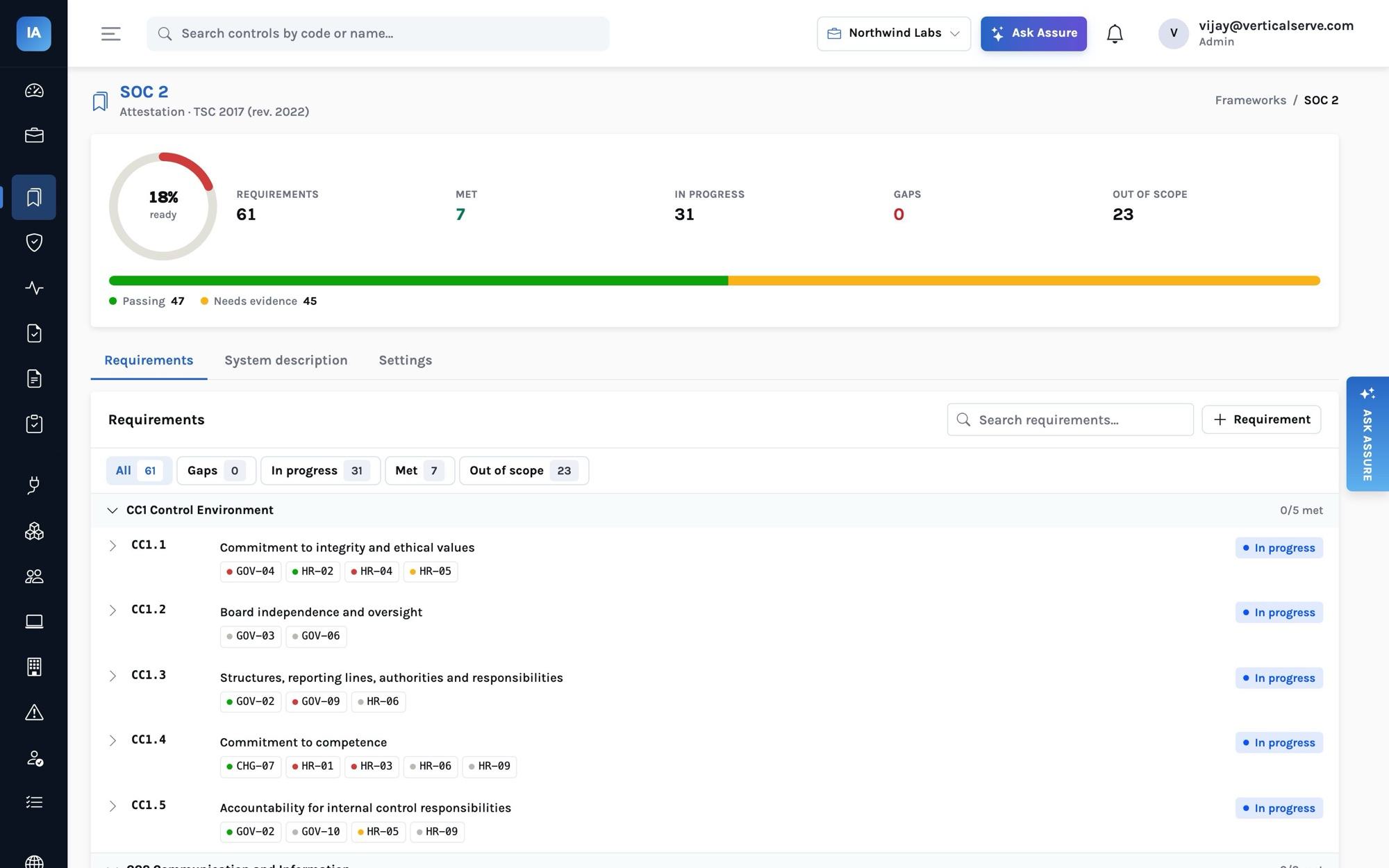
System boundaries. The system is the production service, the infrastructure it runs on, the people who operate it and the tools that change it. Your corporate Wi-Fi, the marketing site and the finance team's spreadsheets are usually out. Write the boundary down once — it goes into section 3 of the report, the system description.
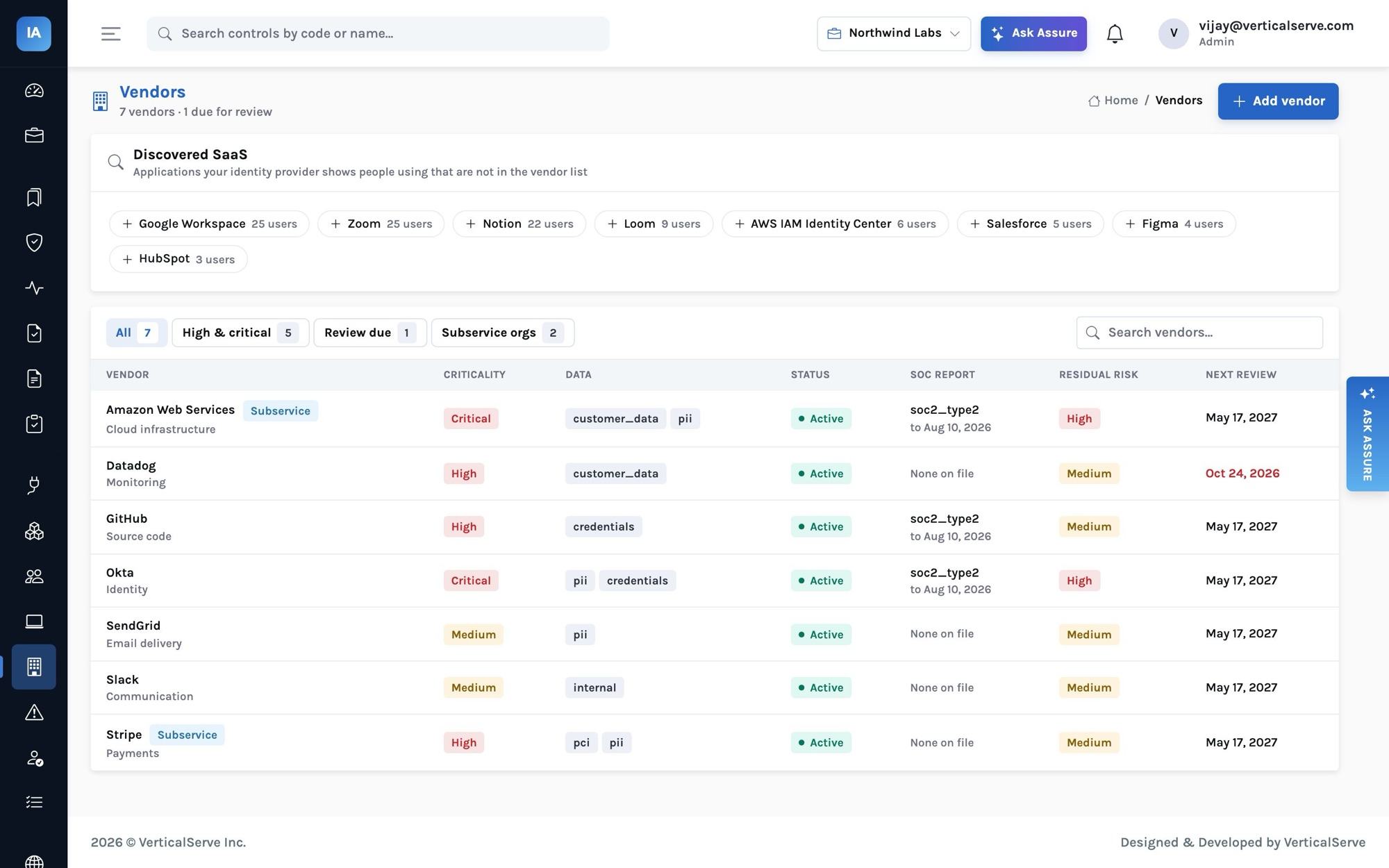
Subservice organizations. AWS runs your data centers. You do not test AWS's physical security; you carve it out and rely on AWS's own SOC 2 report. Record AWS as a vendor flagged as a subservice organization, note what it is assumed to do (the complementary subservice organization controls, CSOCs) and review its report every year. Our SOC 1 post covers carve-out in depth; the mechanics are the same for SOC 2.
Step 2 — Readiness, week by week
Weeks 1–2: connect, draft, adopt
- Onboard. In Settings, run onboarding: adopt SOC 2 with your categories, create the 23 policy templates as drafts, load the 47-risk library into the register and seed the questionnaire answer library. Nothing here is final; it gives you a complete skeleton on day one.
- Connect integrations. For Northwind: Okta (identity), BambooHR (HR), AWS (cloud), GitHub (code and changes), the InsightAssure agent on laptops, a vulnerability scanner, Jira and PagerDuty. Each connector uses read-only credentials and its setup page says exactly which permissions it needs.
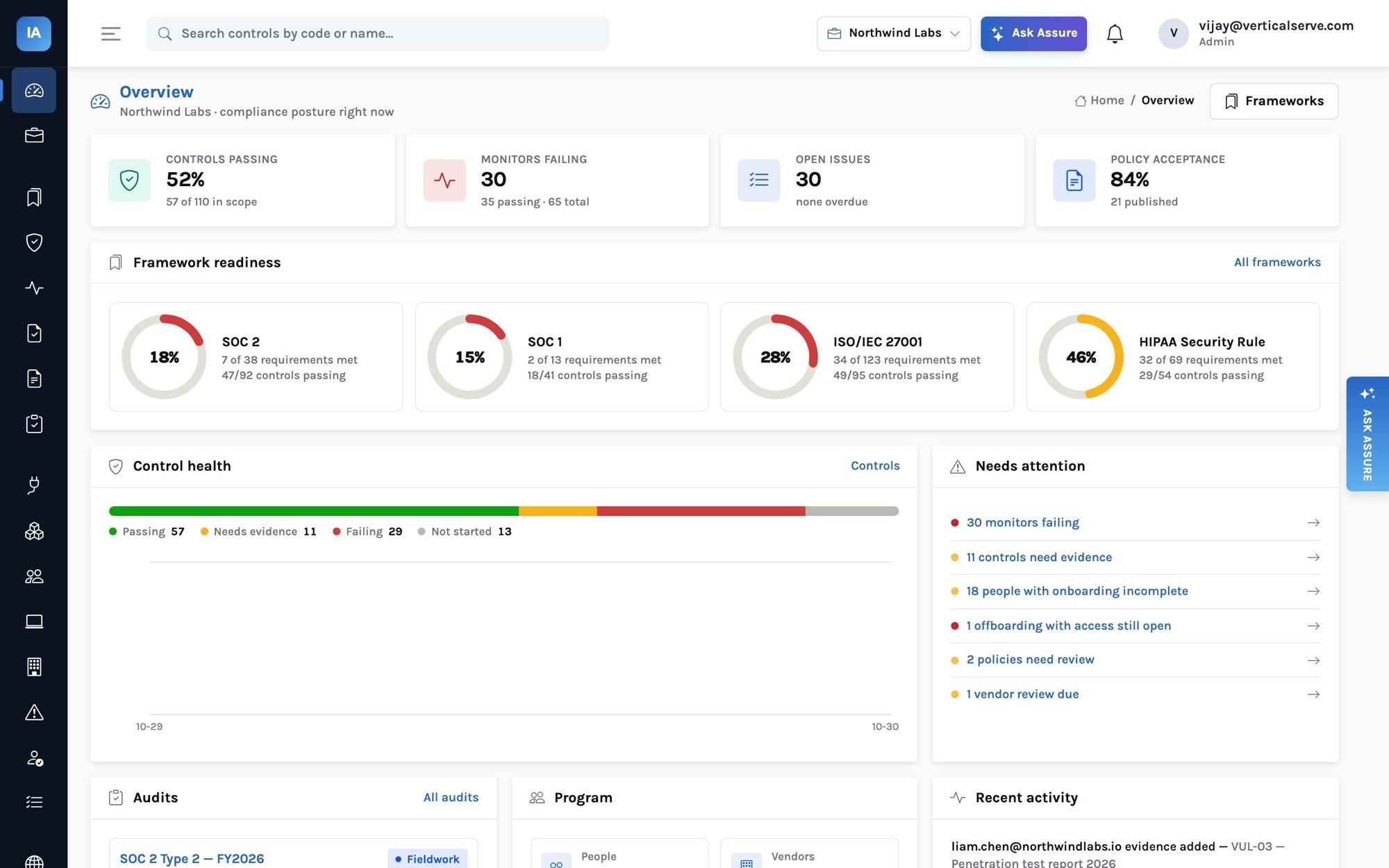
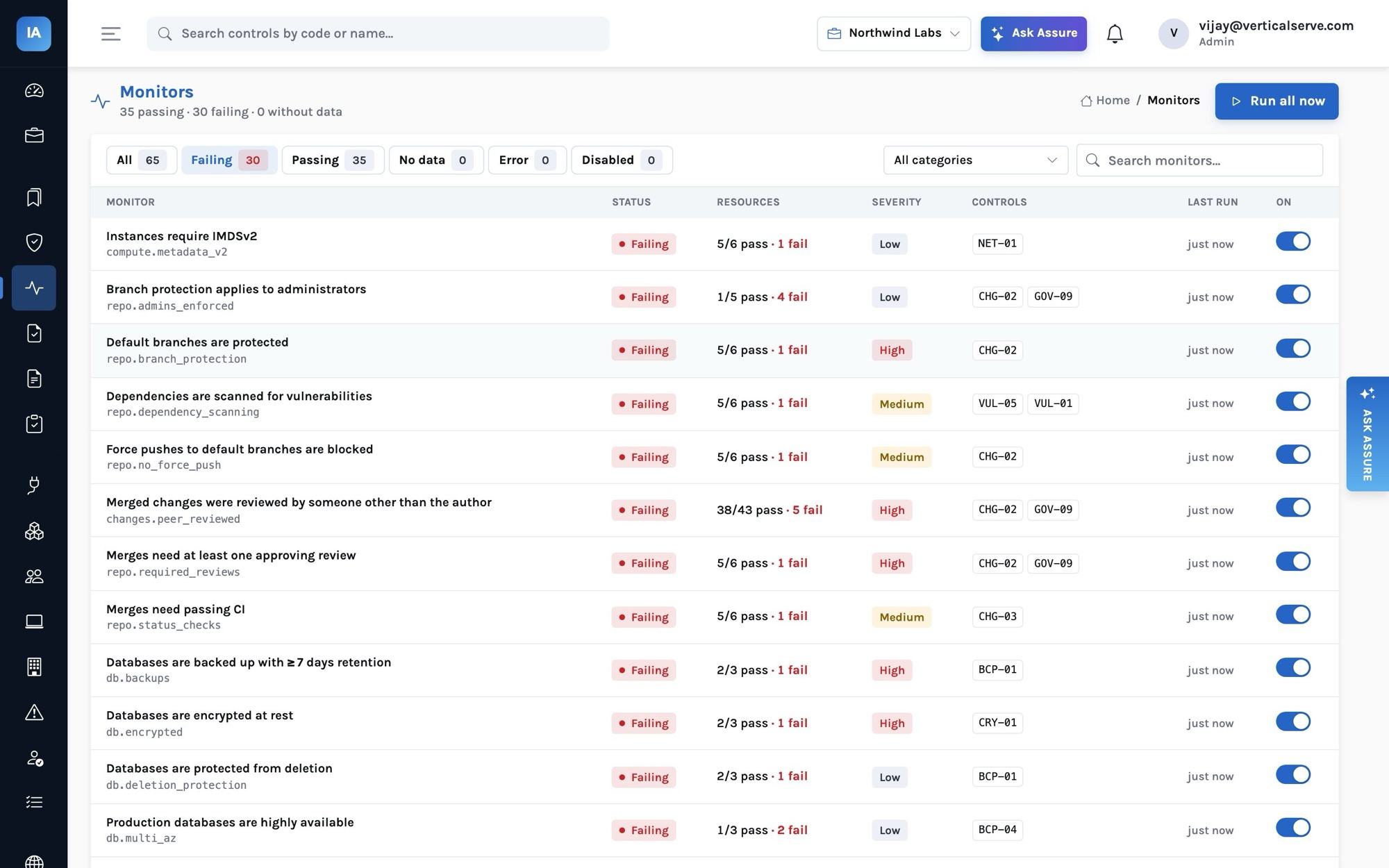
- Watch the monitors arrive. Within minutes of the first sync, the 65 monitors start judging what the integrations collected. On Northwind's first run, 30 failed — every one a real gap, from MFA disabled for two people to a public S3 bucket.
Weeks 3–6: close the gaps
This is where the work is. Three kinds of gaps show up:
- Configuration gaps caught by monitors: MFA not enforced (
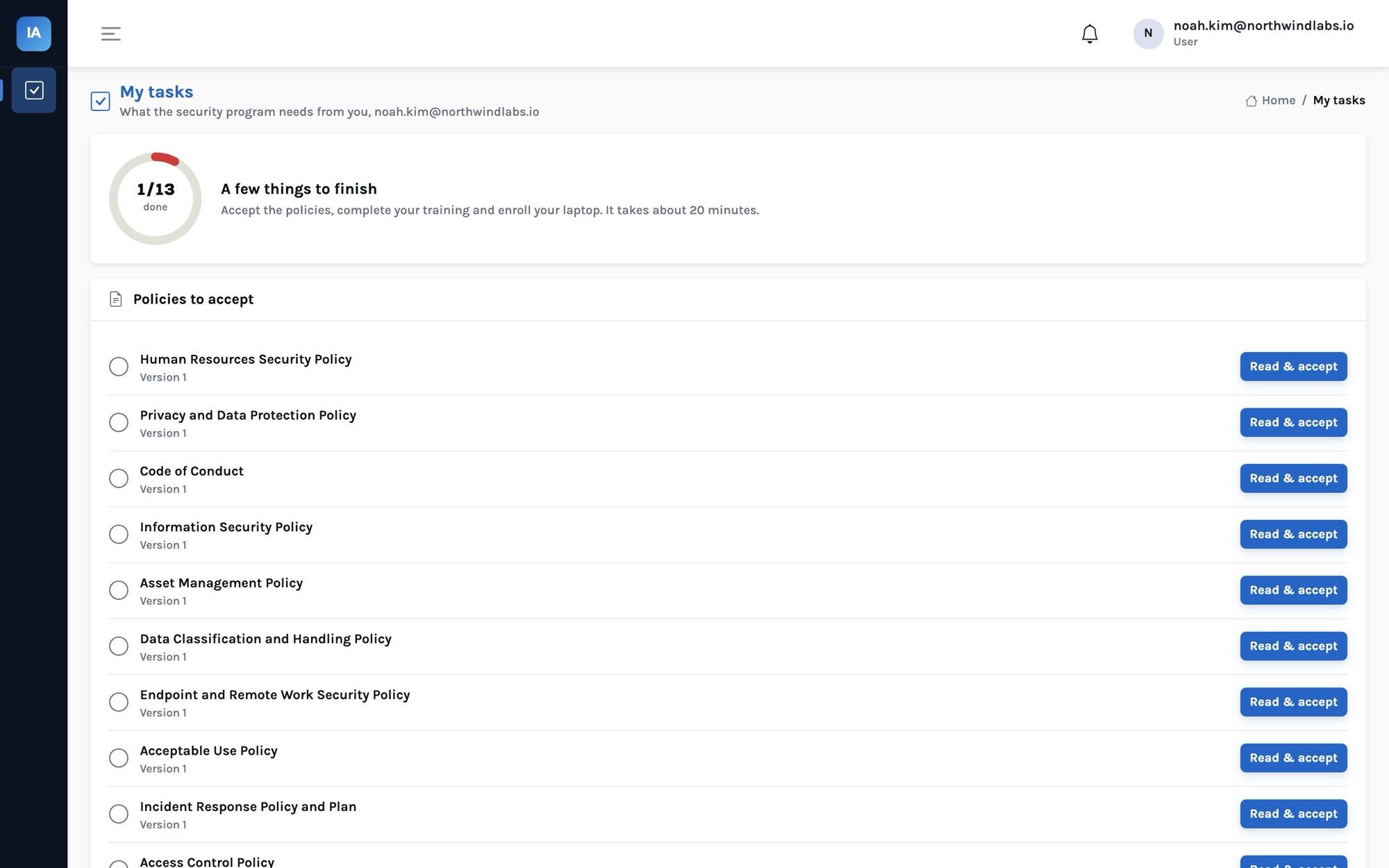
idp.mfa_enforced), a default branch unprotected (repo.branch_protection), an unencrypted database (db.encrypted), SSH open to the internet (network.no_admin_ports_world). Fix them at the source; the next sync turns the monitor green and closes the issue it opened. - People gaps: policies not accepted, security training not done, laptops not enrolled, background checks missing. Employees sign in to My tasks and do all four in about twenty minutes.
- Process gaps that only evidence can prove: the annual penetration test (VUL-03), the restore test (BCP-02), the incident-response tabletop (INC-02), the risk assessment (RSK-01), quarterly access reviews (IAM-05). Schedule them now; an auditor will want them dated inside the period.
Two rules from the health engine are worth knowing, because they match what auditors check:
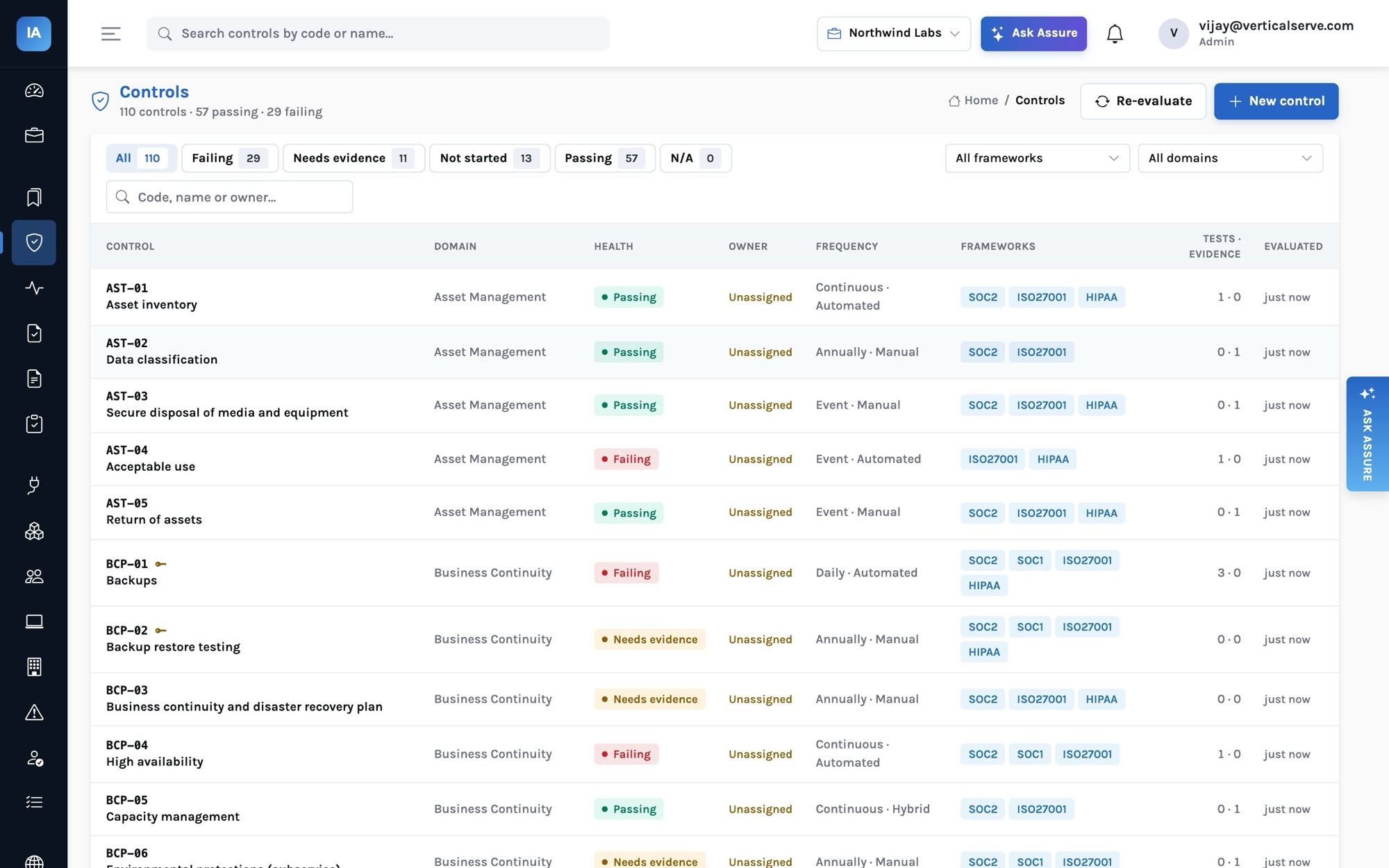
- A control backed by a failing monitor is failing, whatever evidence you upload.
- A manual or hybrid control needs evidence collected inside its frequency window: 120 days for a quarterly control, 395 days for an annual one. Old evidence does not count; it shows up as needs evidence.
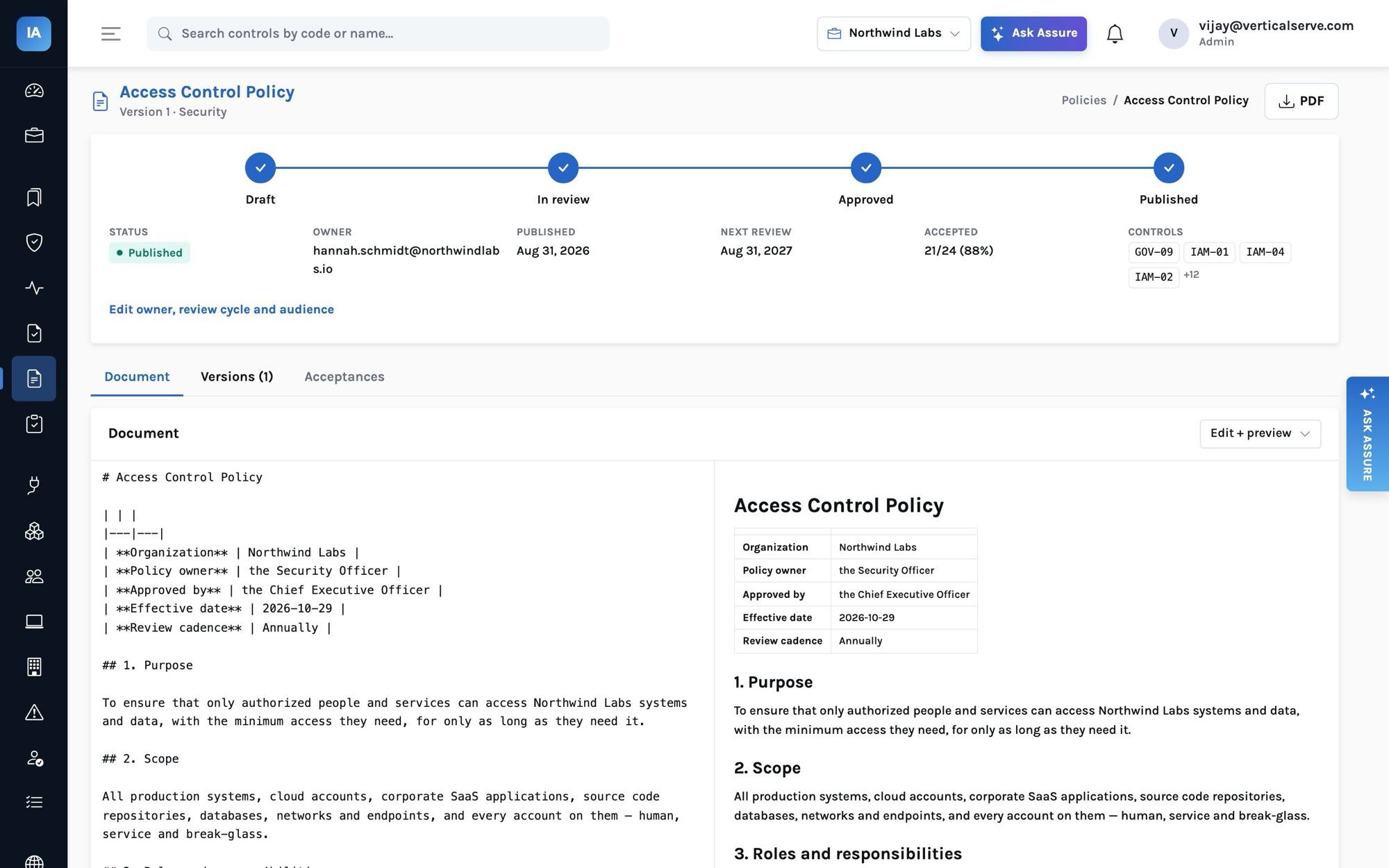
Policies need the same discipline: draft → submit → approve → publish, with the approver and dates recorded. Publishing asks every employee in scope to accept the new version, and the acceptance timestamps become evidence for HR-04.
When are you ready?
When the SOC 2 readiness ring is at (or very close to) 100%, nothing is failing without an approved exception, and you would be comfortable signing the system description. A requirement is met when every in-scope control mapped to it is passing (or not applicable); readiness is met requirements over in-scope requirements, so it cannot be gamed by uploading more files.
Step 3 — Type 1 (if you need it)
Pick the "as of" date, create an audit of type type1, and invite your auditor. The auditor inspects design: is each control described, does it exist, is it implemented. Expect two to four weeks of fieldwork and a report a few weeks later. Use the same day to start the Type 2 period.
Step 4 — The observation period
During a Type 2 period nothing new is required — the controls simply have to operate, and you have to be able to prove it afterwards. InsightAssure keeps that proof as a by-product:
| Control | What accumulates automatically |
|---|---|
| IAM-02 MFA, NET-01 inbound access, CRY-01 encryption | Every monitor run, with pass/fail counts, kept as history |
| CHG-02 peer review | Every merged pull request as a code.change resource with its approvers |
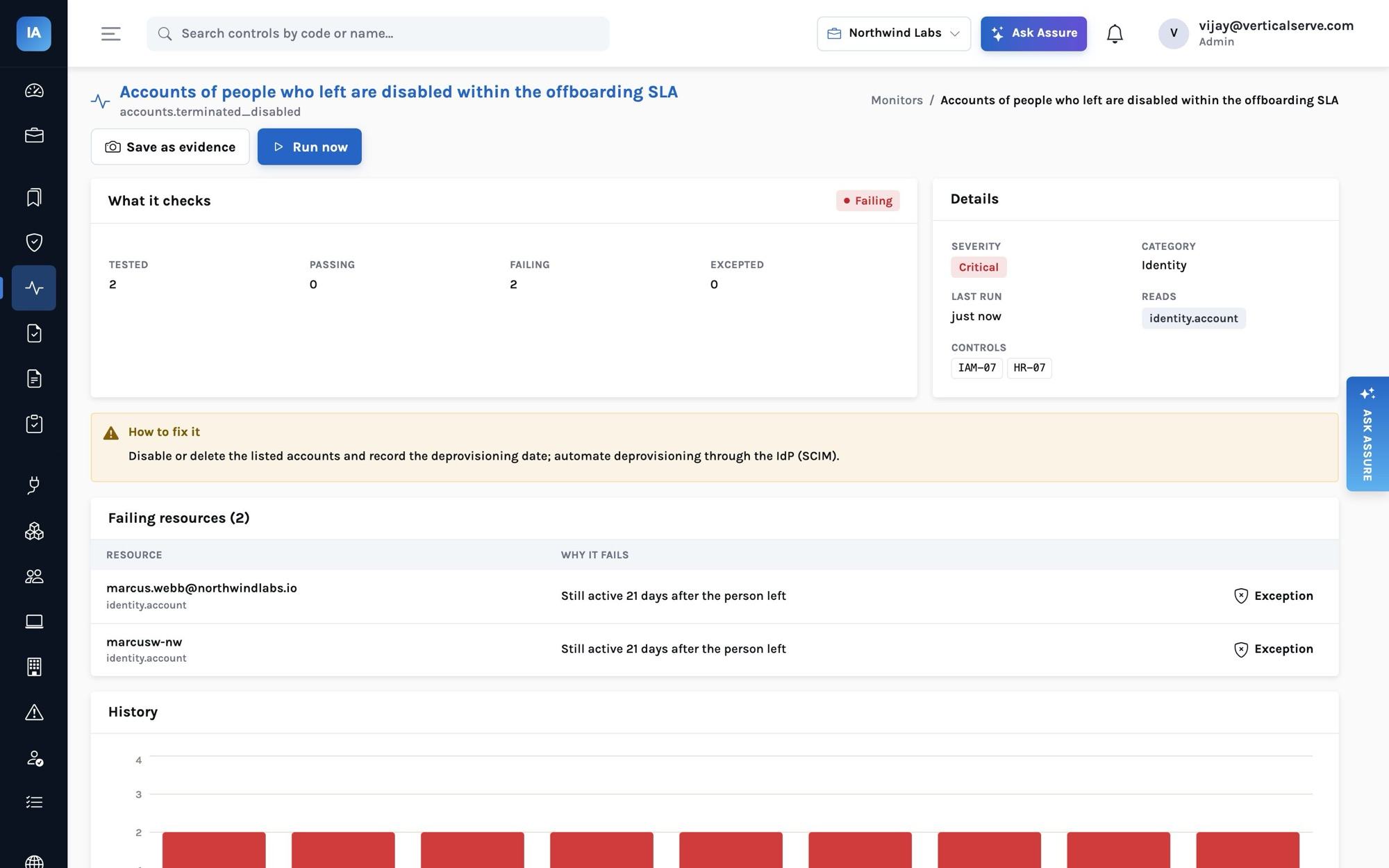
| HR-07 / IAM-07 offboarding | Terminations from HR and the date each account was disabled |
| IAM-05 access reviews | Each completed campaign becomes evidence with every decision |
| HR-03, HR-04 training and policies | Completion and acceptance timestamps |
| VND-03 vendor reviews | Completed reviews, SOC report periods and CUEC mappings |
Two habits help. Snapshot the key monitors monthly (Monitor → snapshot freezes the current result and the population it judged as evidence). And record exceptions honestly: a monitor exception carries a reason and an expiry, which turns an unexplained failure into a documented, accepted risk.
Step 5 — Fieldwork
Create the Type 2 audit with the period dates. InsightAssure generates one request per in-scope control from that control's evidence guidance, assigned to the control owner. Invite the auditor: they get an auditor account that sees this audit only — not your controls list, not your other audits, not unrelated evidence.
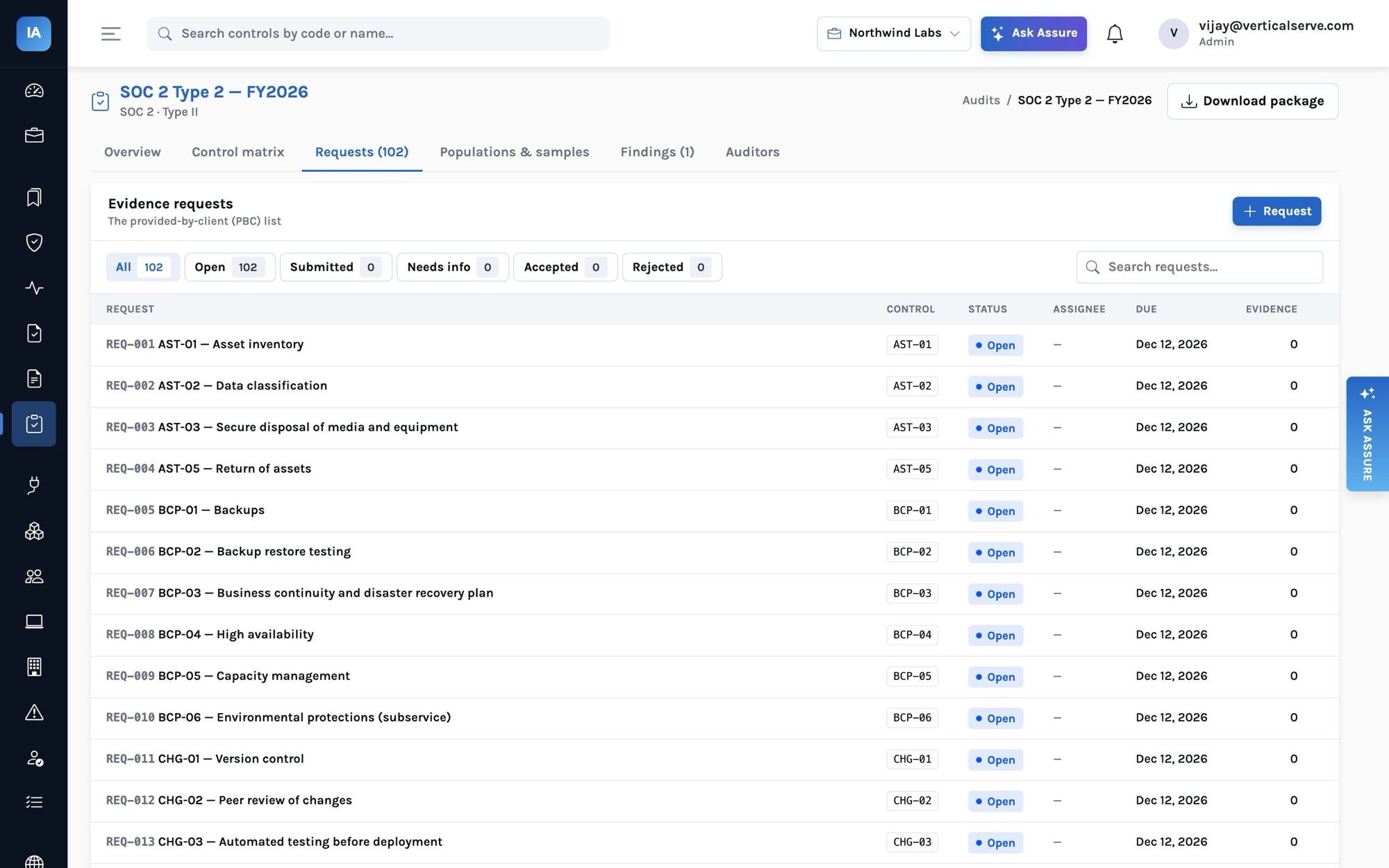
The auditor then builds populations — new hires, terminations, merged changes — and samples them. The sample is drawn with a seed recorded on the audit, so it can be reproduced, and each sampled item becomes its own request. The Type 2 audit post walks through this in detail.
When fieldwork is done, Download package produces a zip with the control matrix, every request and its evidence files, populations with the sampled items marked, findings with management responses, and the system description.
What it takes from the team
For Northwind's size, honest estimates:
- Engineering: two to three weeks of one engineer's time across the readiness phase — mostly MFA, branch protection, encryption, logging and backup settings.
- Everyone: twenty minutes in My tasks, plus annual training.
- The security owner: a few hours a week during readiness; an hour a week during the period, mostly reviewing issues and running the quarterly access review.
- Management: approving policies, the risk assessment and the annual management review (GOV-03).
After the report
Publish the report in your Trust Center as an NDA-gated document, so prospects request it rather than you emailing PDFs. Answer the next questionnaire from your knowledge base. And keep going: the next period starts the day after this one ends — the monitors never stopped.
Want the full sequence?
Our program guide covers SOC 1 alongside SOC 2, including control objectives, CUECs and subservice organizations. See SOC 1 explained properly.