Fieldwork is where a compliance program meets an auditor's spreadsheet. For a first Type 2 it is often the most stressful month of the year: a list of two hundred requests, emails with attachments named final_v3.png, and sample selections nobody can reproduce afterwards.
This post describes how a Type 2 audit runs in InsightAssure — and why each piece is built the way it is — following one realistic thread: the auditor testing change management (control CHG-02) and finding three changes merged without approval. The screenshots are from the fictional Northwind Labs demo workspace.
The shape of a Type 2
A Type 2 tests operating effectiveness over a period. For each control the auditor asks: did it operate, every time it should have, from the first day of the period to the last? For a continuous or automated control they inspect configuration and its history. For controls that run per event — a new hire, a termination, a change — they cannot inspect every instance, so they take the population of events in the period and test a sample.
1. Creating the audit
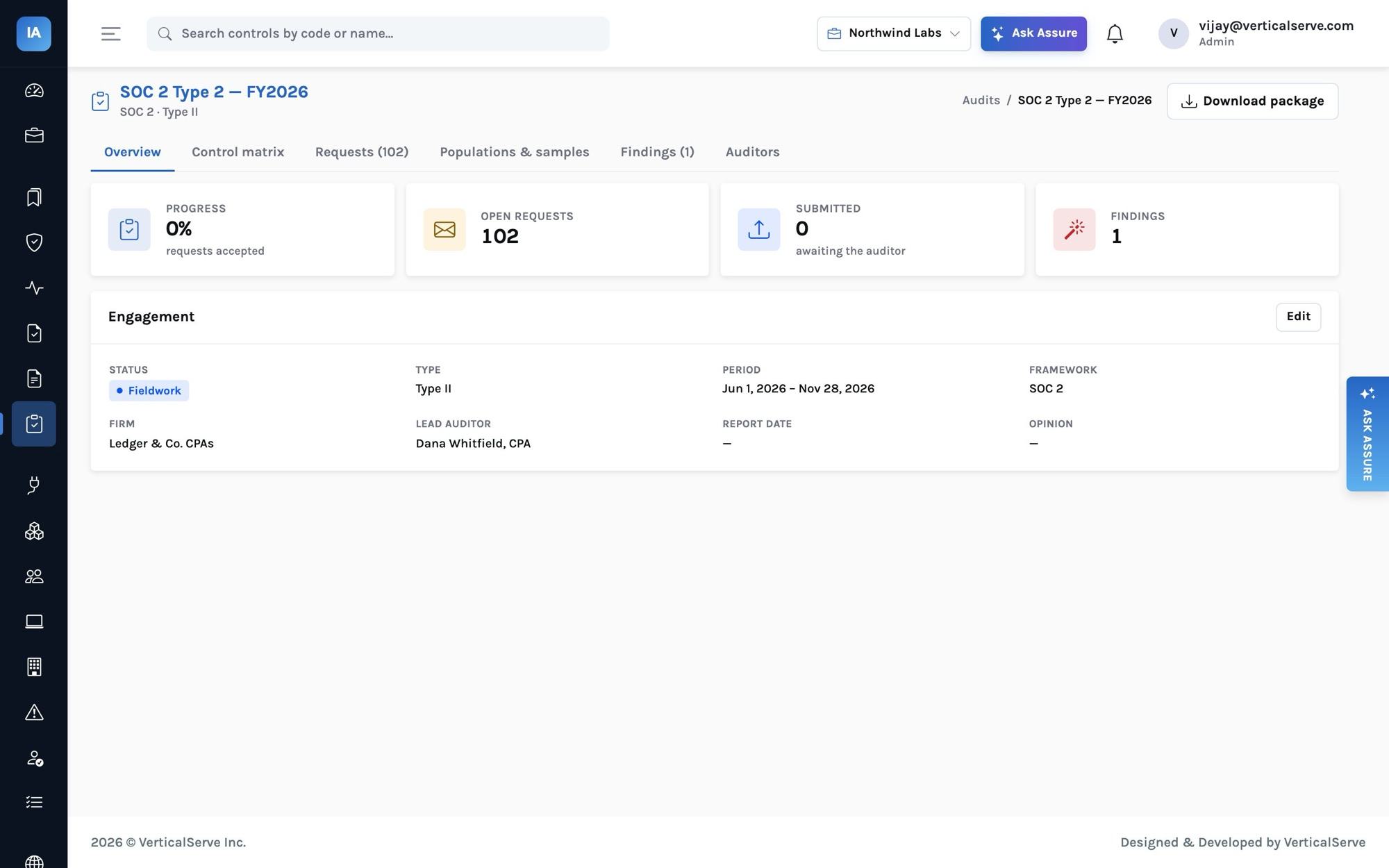
A compliance manager creates the audit: framework (SOC 2), type (type2), the period (InsightAssure refuses a Type 2 without one), firm and lead auditor. Two things happen immediately:
- A sampling seed is generated and stored on the audit. Every sample drawn later uses it.
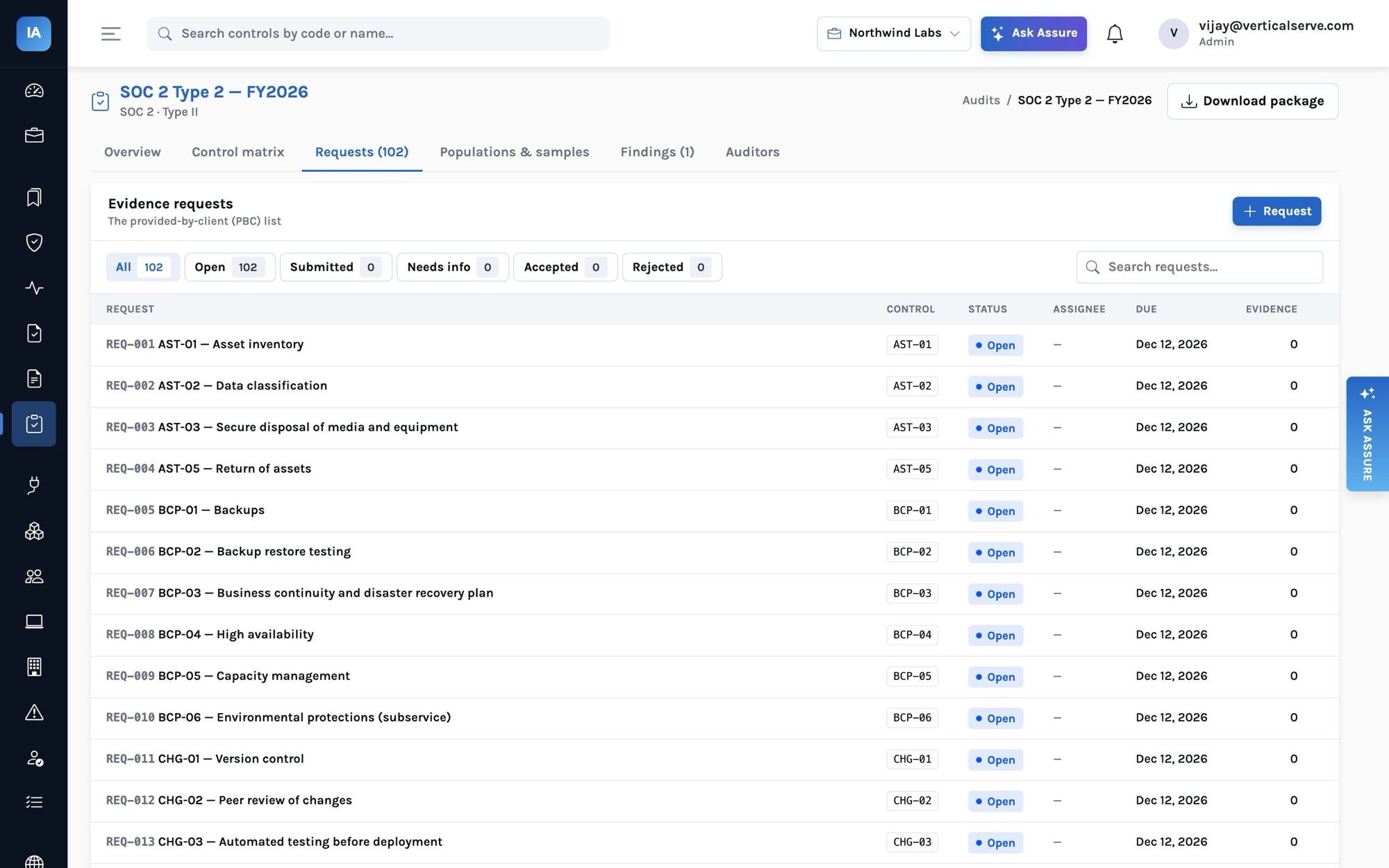
- Requests are generated: one per in-scope control, titled with the control code and name, described by the control's evidence guidance plus the period, assigned to the control owner, due two weeks after period end. For Northwind's SOC 2 scope that is 92 controls — the PBC ("provided by client") list, built from the program instead of typed from the auditor's template.
2. Inviting the auditor
The auditor is invited by email. If they have no account in the organization, one is created with the built-in auditor role and a one-time password is returned to pass on; if they already have one, the role is added. Access is recorded per audit.
An auditor-only account can see:
- the audits they were invited to — nothing else (another audit answers 404, the controls list answers 403);
- each audit's control matrix, requests, comments, populations, samples and findings;
- evidence attached to requests in their audit, and nothing else from the evidence library.
They can comment, mark a request accepted or "needs info", build populations, draw samples and record findings. They cannot attach evidence (the team does) and they cannot write management's response to a finding (management does). Those separations mirror the real roles in an audit and keep the record clean.
3. The request lifecycle
- Attaching evidence moves an open request to submitted automatically, and links the evidence to the request's control as well — so the control's health benefits too.
- An auditor's comment on a submitted request moves it to needs_info, so the team sees exactly which requests came back.
- Only the auditor (or a compliance manager) marks a request accepted.
Evidence for continuously monitored controls is usually a monitor snapshot: the monitor's result and the population it judged frozen at a date. For CHG-02's design, that is the branch-protection settings of every repository; for its operation, it is the sample described next.
4. Populations and sampling
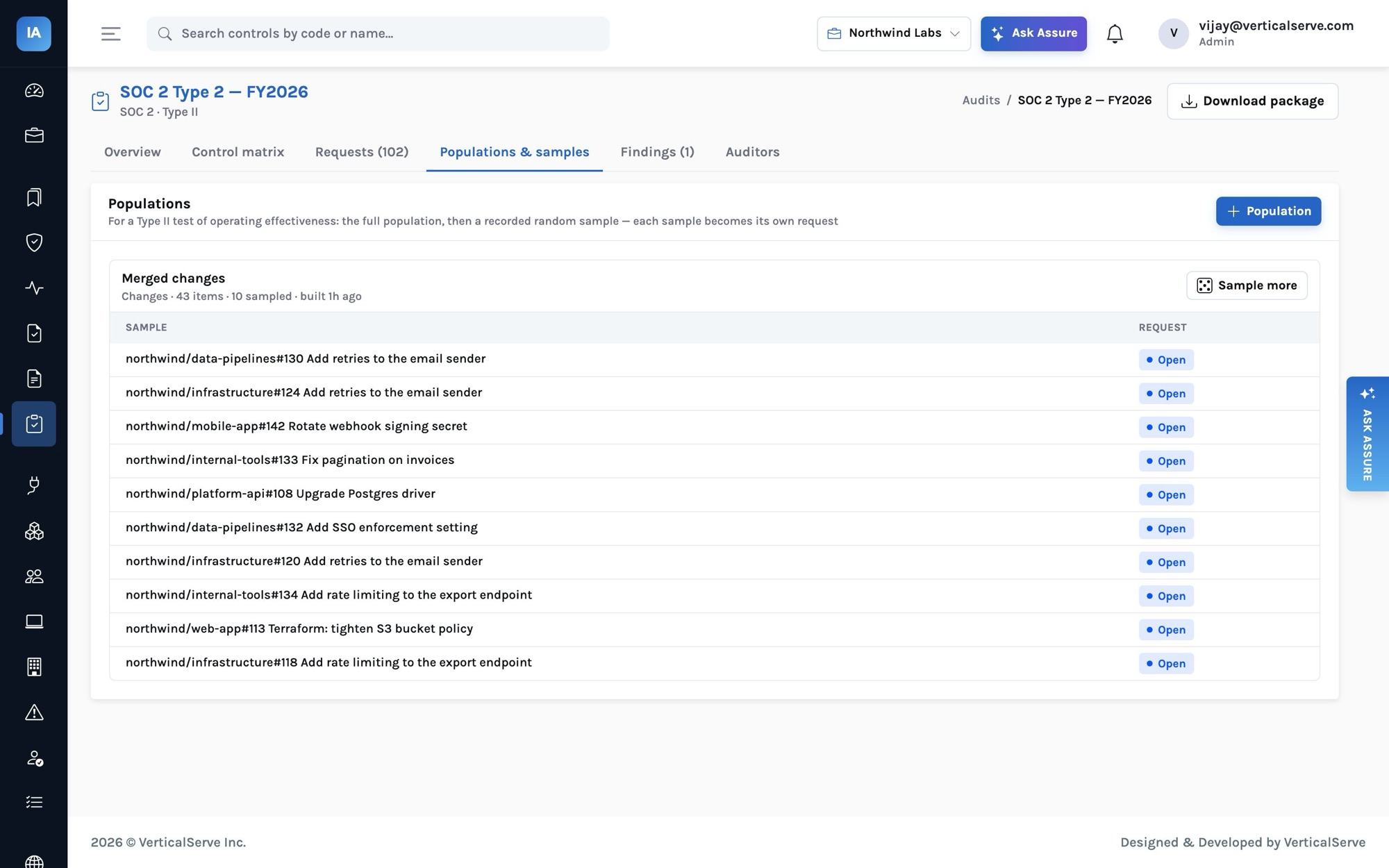
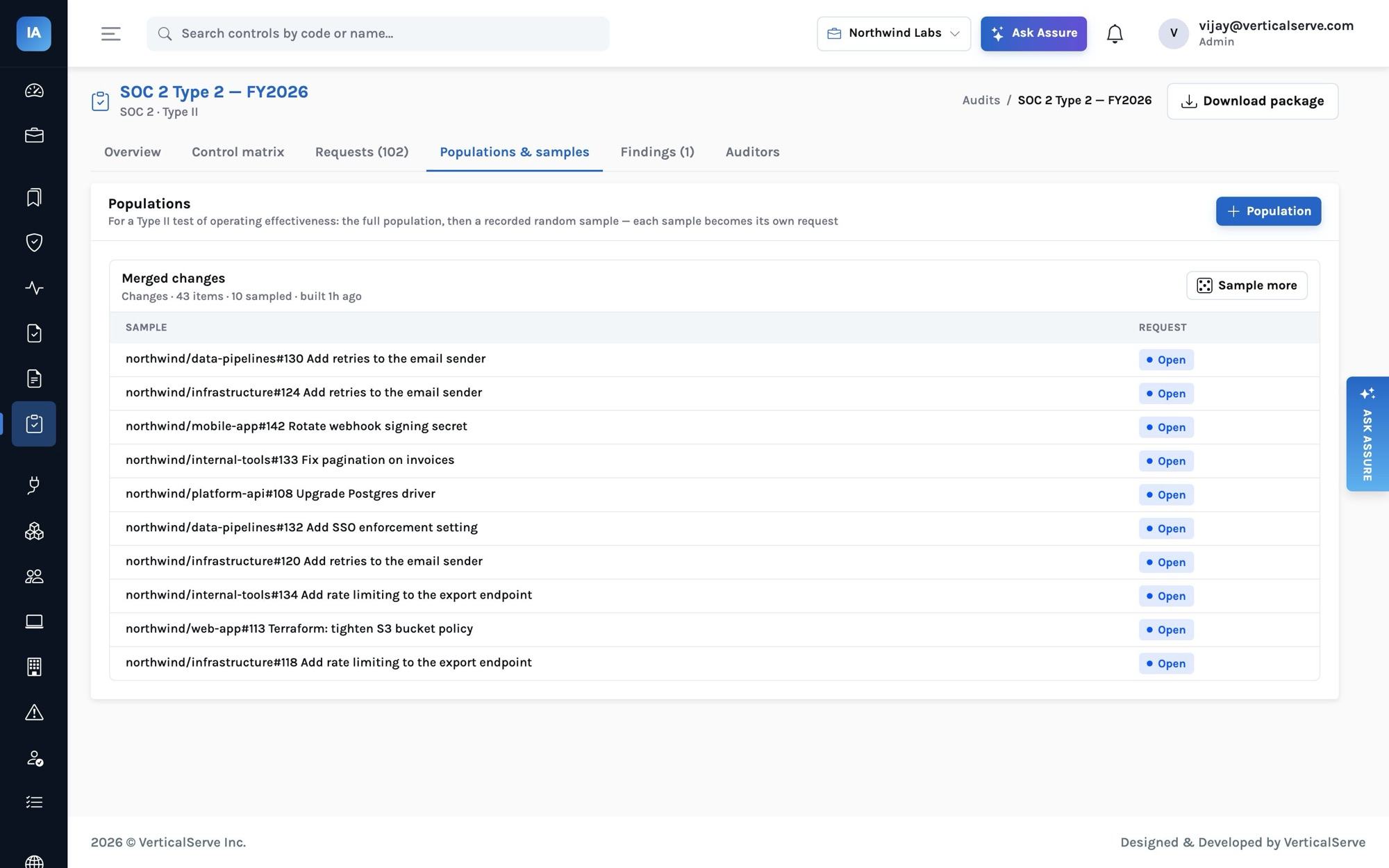
The auditor builds a population for CHG-02 from the source merged changes. InsightAssure collects every code.change resource whose merged_at falls inside the audit period — repository, number, title, URL, author, approvers and who merged it — straight from the source-control integration. No export, no spreadsheet.
Other built-in population sources: new hires and terminations (from people, by start and end date), completed access reviews, security incidents, vendors onboarded in the period — or a CSV the auditor provides, for anything outside the integrations (payroll runs, journal entries, customer onboarding tickets).
How many to sample
The auditor can pick specific items or ask for a random sample. The default size follows the common AICPA-style guidance by population size (a proxy for how often the control runs):
| Population size | Typical frequency | Default sample |
|---|---|---|
| 1–2 | annual, semi-annual | all |
| 3–4 | quarterly | 2 |
| 5–12 | monthly | 3 |
| 13–52 | weekly | 10 (or all, if fewer) |
| 53–250 | daily | 25 |
| > 250 | multiple times a day | 40 |
Auditing firms have their own methodologies, and the auditor can override the size or pick items by hand; the table is a starting point.
Why the seed matters
A random sample that cannot be reproduced is a weak audit trail. InsightAssure draws samples with a random generator seeded by the audit's seed and the population's id, records who sampled and when, and refuses to sample the same item twice. Run the same draw again and you get the same items — useful when a reviewer at the audit firm, or next year's auditor, asks how the selection was made. The seed is visible to the team, not hidden in the tool.
Each sampled item becomes its own request — "Sample: northwind/internal-tools#133 Fix pagination on invoices" — assigned to the control owner, asking for the evidence that this particular change was approved before it merged.
5. The finding
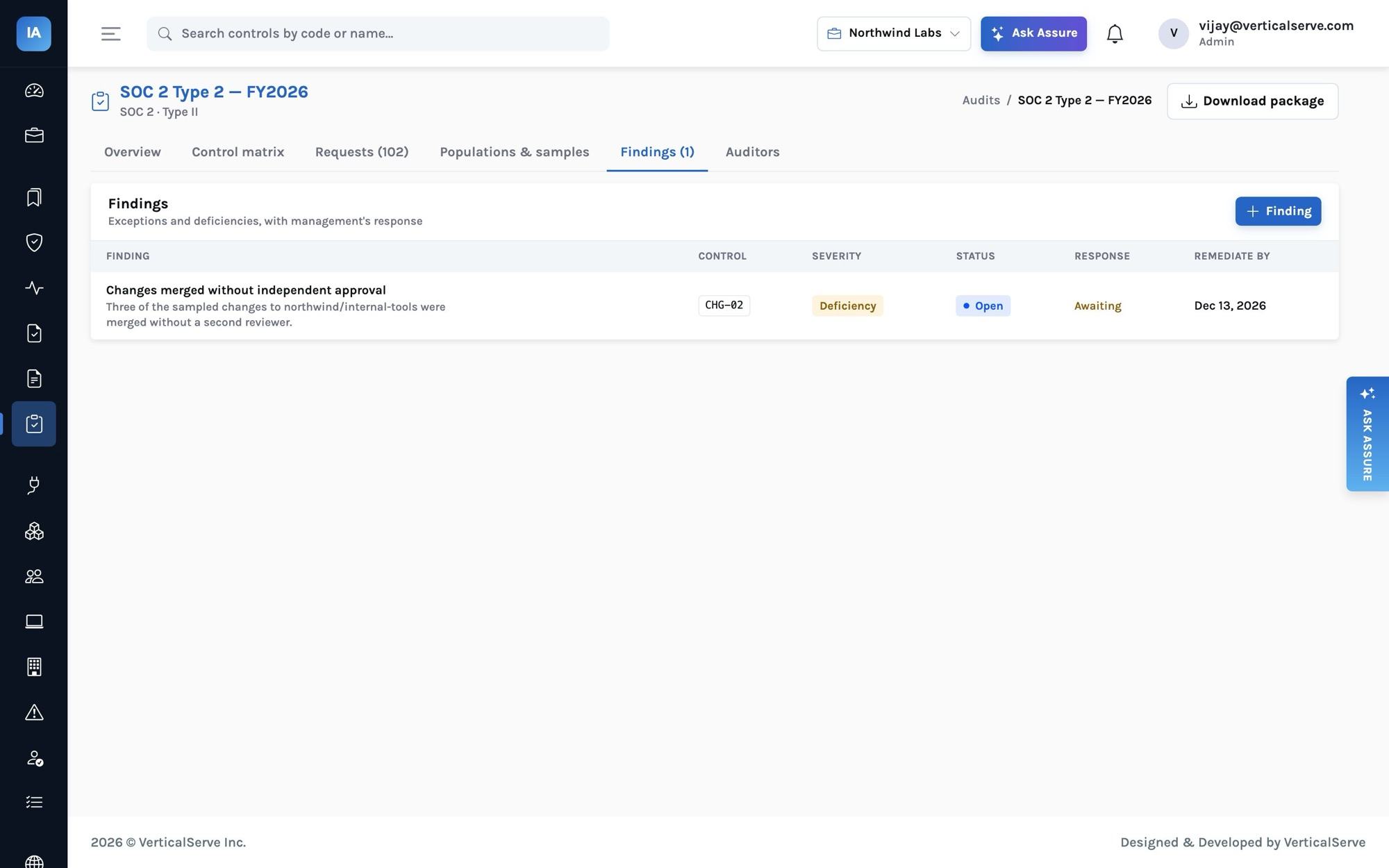
For most sampled changes the evidence is simply the pull request: an approving review from someone other than the author before the merge. Three of the sampled changes, all in northwind/internal-tools, have none — that repository had no branch protection, so nothing stopped a self-merge. (InsightAssure's changes.peer_reviewed and repo.branch_protection monitors flag both facts as soon as the integrations sync; the audit is where they become a finding.)
The auditor records a finding against CHG-02: "Changes merged without independent approval", severity deficiency. Recording it does two things:
- it opens an issue linked to the control, assigned to the control owner, with the remediation due date — so the fix is tracked with the rest of the program's work, not in an email thread;
- it waits for management's response, which only the team can write: in Northwind's case, "Branch protection with a required approving review is now enforced on all repositories; the three changes were reviewed retrospectively and found appropriate."
Severity options follow the reporting language auditors use: observation, deficiency, significant deficiency, material weakness, and for ISO audits minor and major nonconformities.
Exceptions are normal
A Type 2 report with a couple of explained exceptions is common and usually acceptable to customers. What damages a report is an exception nobody can explain — which is why the evidence trail, the issue and management's response matter more than a perfect score.
6. The control matrix
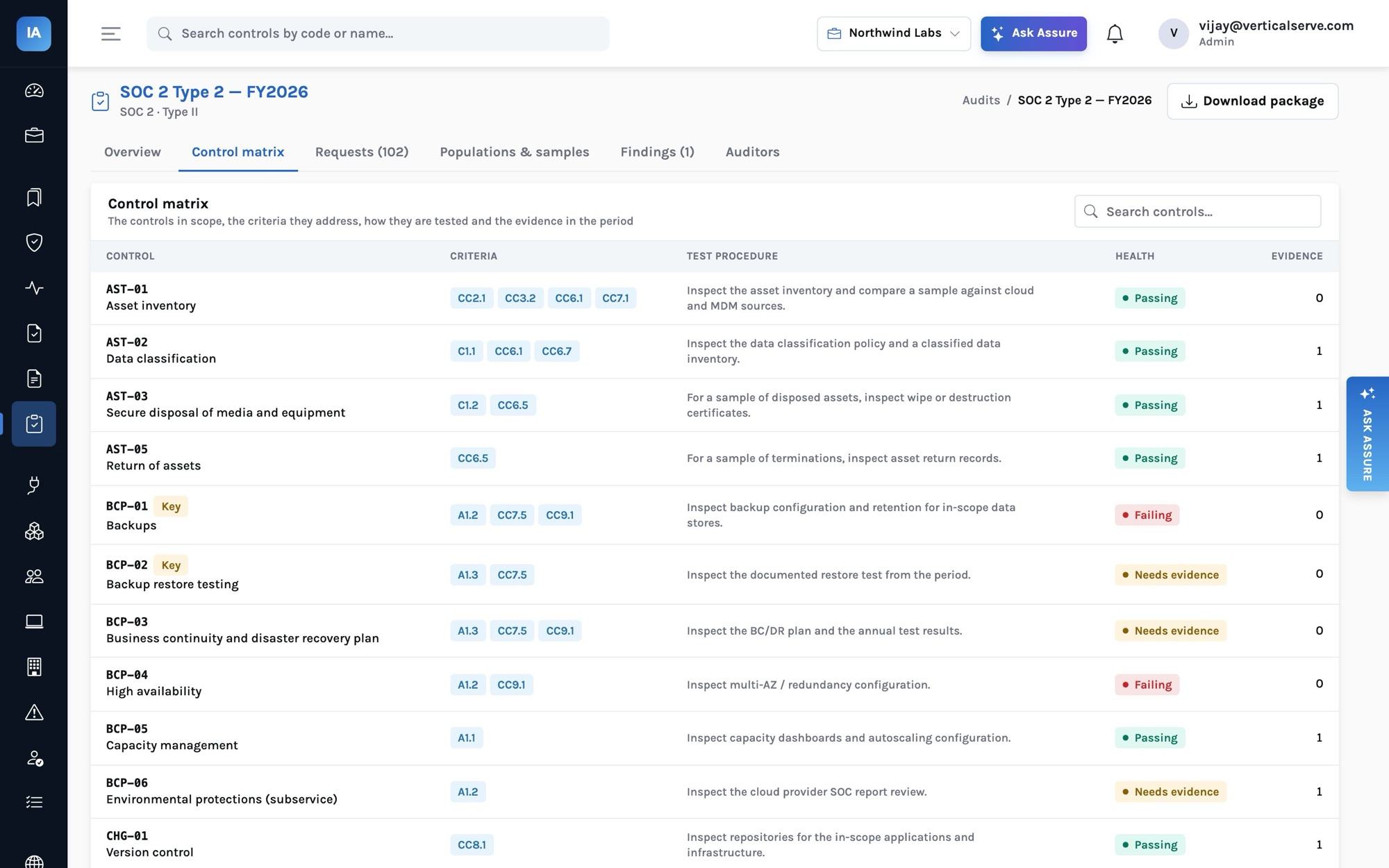
At any point the auditor can open the control matrix: every in-scope control with the requirement codes it addresses, its owner, frequency, nature (manual, IT-dependent manual, automated), test procedure, health and the number of evidence items collected inside the period. It is the backbone of the report's section 4.
7. The package
When fieldwork closes, Download package produces one zip:
README.txt                  audit, framework, type, period, generated-at
control_matrix.csv          every in-scope control, requirements, test procedure, health
requests.csv                every request, status, assignee, dates, auditor comment, evidence titles
evidence/REQ-001/…          each request's files, monitor snapshots (JSON) or text
populations/Merged changes.csv   every item with "sampled" marked
findings.csv                findings, severity, status, management response
system_description.json     section 3, as approved
The audit firm keeps it as workpaper support; you keep it as your record of exactly what was provided. Auditors can download it themselves — it contains only their audit.
What changes the second year
The second Type 2 is much easier, for three reasons the design makes deliberate. The program never stopped — monitor history, access reviews and policy acceptances for the new period are already there. The requests are regenerated from the same controls, with this year's owners. And last year's findings are issues with resolution dates, so the auditor can test that remediation worked rather than taking your word for it.